Netflix is often the first name people think of when they hear “streaming services,” and that’s exactly why this review matters. It’s not just another app with movies and shows or another option among movie streaming sites. It’s a full entertainment ecosystem built around discovery, convenience, and a steady flow of originals, plus a rotating library of licensed titles.
For viewers, the real question isn’t “Is Netflix good?” It’s “Is Netflix good for me?” That depends on how someone watches, who they watch with, what they care about, and what annoys them most. Some viewers care about bingeing originals. Others care about international hits, stand-up, documentaries, casual movies, plan restrictions, ads on some tiers, or whether they still need multiple services.
This article breaks Netflix down the way a practical buyer would: what it delivers, where it shines, where it disappoints, and how to get the best experience without overpaying or wasting time.
Overview: What Netflix Is and What It Tries to Do
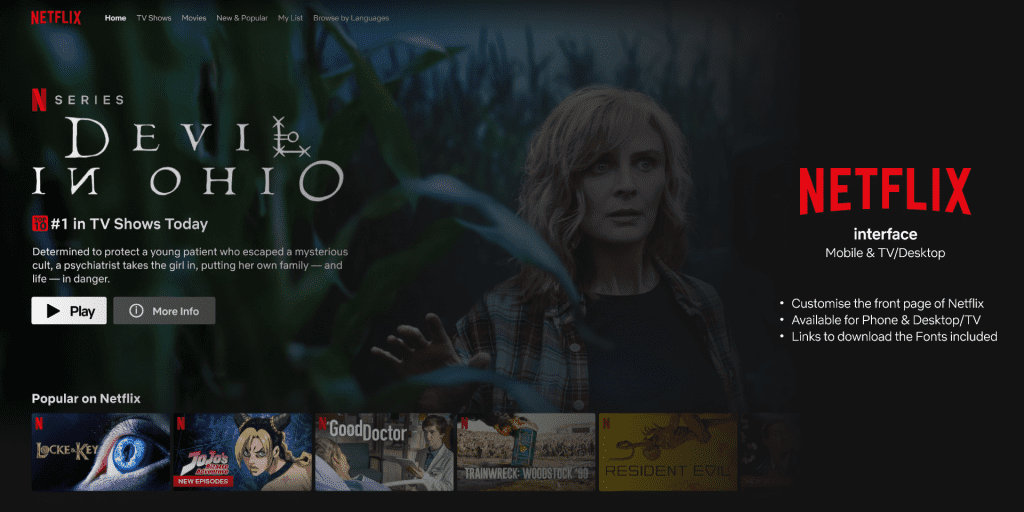
At its core, Netflix is a subscription streaming platform that prioritizes three things:
- Convenience: Easy “press play” viewing across devices.
- Discovery: Recommendations that keep viewers watching.
- Original programming: Exclusive series, movies, and specials.
That mix is the engine. It’s also the reason Netflix feels different to use compared to platforms that lean more heavily into live channels, sports, or add-on bundles.
A simple way to understand Netflix: it’s designed to reduce friction. Viewers should spend less time searching and more time watching. That goal shapes everything—interface, autoplay previews, “Continue Watching,” curated rows, and the constant suggestion loop.
Who Netflix tends to suit best:
- Viewers who want a single “default” streaming app.
- People who like bingeable series and trending shows.
- Households where different people want different genres.
- Fans of international content and dubbed/subtitled options.
- People who value convenience and recommendations.
Who may feel Netflix isn’t enough on its own:
- Sports-first viewers (depending on region and rights).
- People who only watch brand franchises owned by other studios.
- Viewers who want a permanent library of specific classics.
- People who hate rotating catalogs or plan limitations.
Netflix isn’t trying to be everything. It’s trying to be the platform viewers open first—then stay longer than planned.
What Netflix Is Best For
Netflix wins when the goal is consistent, easy entertainment. Not a specific film. Not a niche. Just: “Put something good on.”
That “default platform” role usually comes down to a few strengths:
- Binge-ready series
Netflix formats many originals to be highly bingeable: clear hooks, fast pacing, and season drops that encourage marathon viewing. That is why viewers looking for the best series on Netflix often start with originals before browsing licensed shows. - Variety across moods
A household can bounce from a crime thriller to reality TV to a documentary to a kids show without switching apps. That matters more than people admit. - International hits
Netflix is one of the easiest mainstream ways to discover international series without feeling like someone needs a film degree to find them. - Stand-up and easy documentaries
Netflix remains a go-to for comedy specials and documentary-style content that’s easy to start and finish. - Convenience over complexity
Some platforms feel like a “menu” with too many add-ons, channels, and tiers. Netflix tends to feel like one clean destination.
If a viewer’s entertainment habit is “something decent most nights,” Netflix usually fits.
Content Library: What Viewers Can Expect to Watch
Netflix’s library can be thought of in two layers:
- Netflix Originals: exclusive content.
- Licensed titles: movies and shows that rotate in and out.
The originals are the stable core. Licensed content is the “bonus” that changes.
Netflix Originals: The Core
Netflix originals range from huge global releases to smaller experiments. The value here is simple: these titles are the least likely to vanish unexpectedly.
Typical original categories include:
- Drama series, including thriller, mystery, crime, and prestige titles.
- Reality and dating shows.
- International series and films.
- Animated series, including adult animation and family animation.
- Documentaries and docuseries.
- Stand-up specials and comedy content.
The experience is often simple: Netflix launches something, it trends, social media talks about it, and viewers feel pulled in just to keep up.
Licensed Movies and Shows: The Rotating Layer
Licensed titles are where Netflix can feel inconsistent. A viewer might open Netflix expecting a certain movie and discover it is not available in their region, or it was available before and is now gone. That is why people looking for movies to watch on Netflix often need updated lists instead of assuming the same titles stay forever.
That is not only a Netflix problem. It is a streaming reality:
- Licensing deals expire.
- Rights differ by country.
- Titles move between platforms.
The practical takeaway: Netflix is strongest when viewers value breadth and discovery more than specific guaranteed titles.
Discovery and Recommendations: Why Netflix Keeps People Watching
Netflix’s recommendation system is a major part of its identity. It learns from:
- What a profile watches.
- What it finishes versus abandons.
- How quickly someone exits a title.
- What they add to “My List.”
- What they watch repeatedly.
- What they rate or like, depending on available features.
That creates two real advantages:
Advantage 1: Less decision fatigue
Viewers do not have to hunt every time. Netflix serves options that feel relevant.
Advantage 2: Faster discovery of unexpected favorites
Someone arrives for one big show and leaves with three new interests.
But there is a tradeoff:
Tradeoff: The Netflix loop can feel repetitive
If someone watches only one genre, Netflix may keep recommending variations of the same thing. It can start to feel like the app is narrowing instead of expanding.
How to fix that:
- Create separate profiles, even for one person with different moods.
- Finish titles that represent the taste you want more of.
- Remove titles from “Continue Watching” that you do not want influencing results.
- Search and watch outside the usual pattern occasionally because Netflix responds fast.
Netflix is not just a library. It is a system that adapts.
Key Features: What Netflix Offers Beyond Press Play
Netflix’s features often feel invisible because they are built into the experience. That is a compliment. The best features do not demand attention. They reduce friction.
Profiles: Essential for Households
Profiles matter because they:
- Keep recommendations clean.
- Separate kids content from adult viewing.
- Prevent a shared account from becoming a chaotic mess.
Even solo users can benefit. One profile can be for serious dramas, while another can be for easy comfort watches.
Downloads: For Travel and Offline Time
Downloads are a major value booster for:
- Commuting.
- Flights.
- Load-shedding moments.
- Limited data situations.
A viewer who uses downloads smartly often feels like Netflix is more worth it than someone who streams everything on mobile data.
Continue Watching and My List
These two features can either be helpful or irritating, depending on how a viewer manages them.
Best practice:
- Keep “My List” short and intentional.
- Clear “Continue Watching” when a show is not happening.
- Use “My List” as a queue, not a dumping ground.
Subtitles and Audio Options
Netflix is usually strong on:
- Subtitle availability.
- Dubbing options.
- Audio language choices.
For international content, that matters more than resolution.
Parental Controls and Kids Experience
For families, Netflix’s kids features can be a deciding factor:
- Dedicated kids profiles.
- Age-appropriate browsing, depending on settings.
- Reduced risk of children stumbling into adult content.
The key is actually setting it up properly. Netflix does not magically make content safe. Profiles and controls do.
Streaming Quality and Device Support
The platform is built to work across nearly everything:
- Smart TVs.
- Streaming sticks and boxes.
- Phones and tablets.
- Laptops and desktops.
- Game consoles, in many cases.
The practical question most viewers should ask is not “Does Netflix support my device?” It is:
- Does Netflix run smoothly on that device?
- Does the internet connection support stable playback?
- Is the plan capable of the quality level they want?
Quality Is a Chain, Not a Switch
Streaming quality depends on:
- The plan tier and what quality is included.
- The device capability, including screen and supported formats.
- The connection, including speed and stability.
- The time of day and network congestion.
- The app performance.
If one link is weak, quality drops. That is why “Netflix looks blurry” is often not only a Netflix issue. It is a chain issue.
Data Usage: Why Mobile Users Should Care
For mobile viewers, Netflix can burn data fast at higher quality settings. That is not a warning. It is just reality.
Practical steps:
- Use Wi-Fi for high-quality streaming.
- Use downloads when possible.
- Adjust playback settings if data cost matters.
Pricing and Plans: How Netflix Typically Structures It
Netflix pricing varies by country and can change over time, so the smartest evergreen approach is to focus on how plans are usually structured, not fixed numbers.
Most markets typically have some version of:
- A lower-cost plan, often ad-supported in some regions.
- A mid-tier plan for a standard streaming experience.
- A higher tier for more premium quality or features.
The right plan choice usually comes down to three questions:
- How many people stream at the same time?
A solo viewer who streams occasionally does not need the same plan as a family of four streaming nightly. - What screen matters most?
Watching on a phone is different from watching on a 55-inch TV. The bigger the screen, the more quality matters. - Does the household care about ads?
If ads ruin the vibe, a cheaper plan can feel expensive emotionally.
A practical plan-picking method:
- Start with the plan that fits the household size and screen.
- Use it consistently for a few weeks.
- Upgrade only if there is a real pain point, such as quality, streams, or restrictions.
- Downgrade if it is mostly unused.
Netflix feels too expensive most often when people pick a plan like a status symbol instead of a tool.
User Base and Popularity: Why Netflix Still Dominates Attention
Netflix remains a cultural reference point because it sits at the intersection of:
- Convenience.
- Habit.
- Social proof.
- Always-on content drops.
People do not just watch Netflix. They talk about Netflix shows. That creates a loop:
- Netflix releases something.
- It trends.
- Friends mention it.
- Viewers subscribe or return.
- Netflix becomes the default again.
That loop is hard for smaller platforms to replicate without major franchises, sports rights, or deep bundles.
For ForeverWatch, Netflix is a foundational review because it helps viewers compare broad streaming habits with more specific paths, including anime movies on Netflix, regular series discovery, and movie browsing before choosing what to watch next.because it helps define the whole category: streaming platforms as a lifestyle habit, not just a purchase.
Advantages: Where Netflix Usually Wins
Netflix’s strengths are not mysterious. They’re practical and consistent.
1) Strong discovery engine
The platform is built to help viewers find something fast.
2) High binge value
Netflix originals are often structured to keep attention and encourage completion.
3) Broad audience appeal
Teenagers, parents, couples, casual viewers, and serious binge-watchers can all use the same platform.
4) Global content pipeline
International titles can feel fresh compared to the same recycled Hollywood catalog.
5) Low friction experience
Netflix is rarely confusing. Most users understand it within minutes.
6) Consistency across devices
Switching from phone to TV is usually smooth.
7) Comfort-factor entertainment
When viewers are tired and don’t want to “think,” Netflix is designed to make the choice for them.
Disadvantages: Where Netflix Can Frustrate Viewers
The platform has real weaknesses, and they matter depending on the viewer’s priorities.
1) Rotating licensed catalog
A favorite movie can disappear. That’s frustrating if someone expects permanence.
2) Not always the “best” for one niche
For specific niches—live sports, certain franchises, niche documentaries—another service might beat Netflix.
3) Decision fatigue still happens
Yes, Netflix recommends. But endless scrolling can still happen when people are picky.
4) Household/account rules can create friction
If multiple people use an account across different locations, it can become inconvenient depending on how access is structured in that region.
5) Value depends on usage
Netflix is a subscription. Viewers who only watch once a month often feel regret. Netflix tends to reward consistent use.
The key is matching Netflix to a viewing habit. When the habit fits, Netflix feels like value. When it doesn’t, the platform feels like a drain.
Safety and Privacy: How to Use Netflix Securely
Netflix itself is a mainstream platform, but most “Netflix problems” come from account behavior—not the service.
Common risks
- Password reuse (big one)
- Shared accounts with too many people
- Falling for fake “Netflix billing” emails/messages
- Using weak passwords on email accounts tied to Netflix
- Using public Wi-Fi without basic caution
Practical safety checklist (simple and effective)
- Use a strong, unique password for Netflix.
- Secure the email attached to Netflix (because password resets go there).
- Enable extra security on email (this matters more than people realize).
- Don’t click random “billing issue” links—log in directly instead.
- Review account activity occasionally (especially if many people share access).
- Use profiles so viewing history stays clean and private within households.
Family safety: make kids profiles real, not symbolic
For households with children:
- Use dedicated kids profiles
- Set age limits where available
- Don’t assume “kids won’t click it”
- Use a PIN or restrictions if the household needs it
The safest Netflix setup isn’t complicated. It’s intentional.
How to Get the Best Netflix Experience (Step-by-Step)
This is where most viewers level up quickly. Netflix becomes dramatically better with a few smart tweaks.
Step 1: Build profiles like a strategist
Instead of one messy profile:
- Profile 1: Main tastes
- Profile 2: “Comfort TV”
- Profile 3: “International + subtitles”
- Kids profile(s) if needed
This reduces confusion and improves recommendations fast.
Step 2: Clean “Continue Watching”
If a show is dead, remove it. Netflix reads behavior.
When “Continue Watching” is full of half-watched titles, Netflix assumes the viewer is indecisive or inconsistent—and recommendations can become messy.
Step 3: Use “My List” as a queue, not a storage unit
A short list gets watched. A long list becomes a graveyard.
Best practice:
- Keep 15–30 titles max.
- Remove anything that no longer excites.
Step 4: Match quality to device
- Mobile-only viewers: a mid-tier experience may be enough.
- TV-first households: quality matters more, especially on large screens.
The goal is not to chase “the best plan.” The goal is to remove frustration.
Step 5: Use downloads to control data and reliability
Downloads can make the platform feel premium even on a basic setup.
If a viewer often watches during travel, commuting, or unstable internet, downloads are a big win.
Step 6: Rotate, don’t hoard subscriptions
Viewers don’t need every service at once.
A practical approach:
- Use Netflix for a cycle
- Pause or rotate when boredom hits
- Try another service
- Return when Netflix has new must-watch shows
This “rotate” habit makes the platform feel worth it long-term.
Alternatives
Netflix is strong, but streaming isn’t one-size-fits-all. Below are common alternatives and the type of viewer each one suits.
Prime Video
- Often appeals to value-seekers and variety watchers
- Good for viewers who don’t mind add-ons or extra rentals
- Useful when someone wants broad content options in one ecosystem
Disney+
- Strong for families and franchise fans
- Great when the household loves big-brand universes and rewatchable classics
- Usually feels “clean and predictable” compared to trend-chasing catalogs
HBO Max (Max)
- Often suits viewers who want prestige series and a premium feel
- Strong for people who care about curated quality over endless quantity
- A good pick when viewers want fewer, better shows
Peacock
- Can suit viewers who like a mix of TV, originals, and easy browsing
- Often attractive when someone wants a different flavor than Netflix’s style
- Useful for viewers who enjoy a varied catalog and familiar comfort titles
Paramount+
- Often best for franchise-specific viewers
- A smart add-on service if the household follows certain brands closely
- Works well as a “rotation service” rather than a forever default
Hulu (where available)
- Often suits TV-first viewers who enjoy current-series ecosystems
- Strong when viewers care about episodic watching habits
- Useful for people who like structured TV libraries
Tubi / Pluto TV (free options)
- Great for budget viewers who don’t mind ads
- Useful for casual background watching
- Strong for “I just want something on” moments
MUBI / Kanopy (niche film)
- Better for cinephiles and curated cinema
- Great for viewers who want film discovery beyond mainstream trending lists
- Often stronger when someone values curation over volume
Netflix remains a strong “main service.” But for certain viewing styles—prestige, franchises, free streaming, niche cinema—another service may fit better.
FAQs
1) Is Netflix worth it for casual viewers?
It can be, but casual viewers get the most value when they watch consistently or use downloads and “My List” strategically. If watching is rare, rotating subscriptions may feel smarter.
2) What makes it different from most streaming platforms?
Netflix leans heavily into discovery and original content. It aims to be the default app viewers open without thinking.
3) Does Netflix have enough movies, or is it mostly series?
Netflix typically offers both, but it is often strongest for series and bingeable originals. Movie availability can rotate depending on licensing.
4) Why do some titles disappear?
Licensing rights expire or change. Streaming libraries rotate because content is not owned permanently in many cases.
5) Can it replace cable TV?
For viewers who mainly watch series, movies, documentaries, and on-demand content, it can. For live sports and live channels, it depends on region and preferences.
6) Is Netflix good for families?
Yes, especially when profiles and kids settings are used properly. It works best when parents set up separate profiles and don’t share one viewing history.
7) How can viewers improve Netflix recommendations quickly?
Use profiles, clean “Continue Watching,” finish titles that represent preferred tastes, and remove content that doesn’t match future viewing goals.
8) Does Netflix work well on slow internet?
It can, but quality depends on connection stability. Downloads and adjusted playback settings can help in low-bandwidth situations.
9) Is it safe to use?
Generally yes, but account safety depends on strong passwords, email security, and avoiding phishing messages pretending to be Netflix.
10) What’s the best way to stop Netflix from feeling boring?
Switch genres, explore international content, and rotate services occasionally. Netflix often feels fresh again after a break.
11) Are Netflix originals always high quality?
Not always. the platform releases a high volume of originals, so quality varies. The upside is variety; the downside is inconsistency.
12) Is Netflix better on TV or mobile?
Both can be great. TV viewing highlights quality and immersion; mobile viewing highlights convenience. The best experience depends on plan, device, and internet reliability.
13) What should a household consider before subscribing?
How many people will stream, which devices matter most, whether ads are acceptable, and whether the household watches enough to justify a recurring subscription.
14) How can viewers get more value without upgrading plans?
Use downloads, optimize profiles, curate “My List,” and plan viewing cycles. Value often comes from habits, not higher tiers.
15) What’s the simplest reason to choose Netflix?
Netflix is often the easiest platform for consistently finding something watchable with minimal effort.
Final Verdict: Who Should Choose Netflix
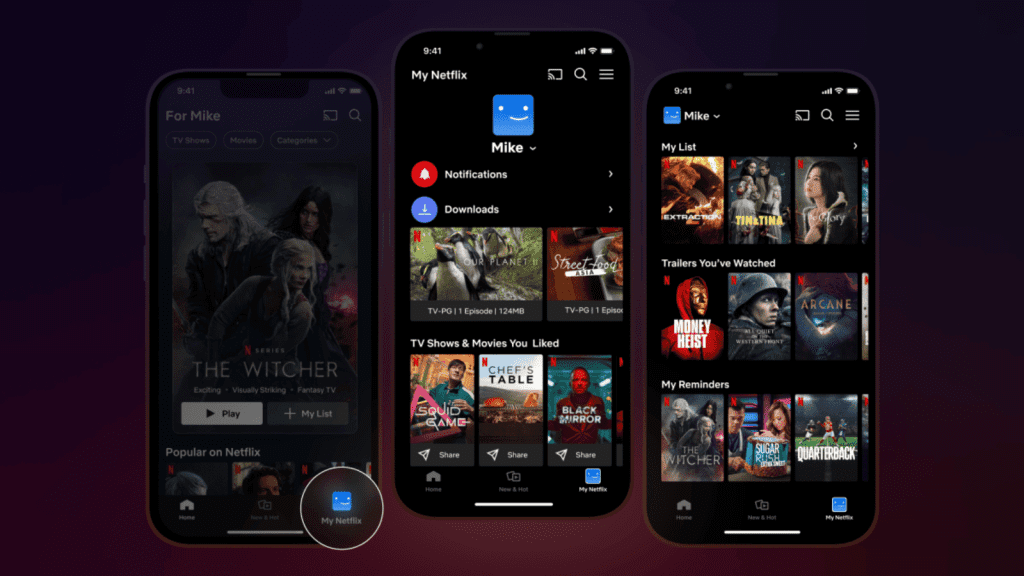
Netflix works best for viewers who want a reliable “main streaming service” with bingeable originals, broad variety, and an interface that makes discovery easy. It’s especially strong for households with mixed tastes, viewers who like trending series, and people who want international content without extra effort.
It may feel less satisfying for viewers who want permanent access to specific movies, who need a clearer way to decide where to watch movies, who mainly care about sports streaming sites, or who follow a single studio’s franchises more than general entertainment. In those cases, it can still be a great rotation service: subscribed to when there’s a must-watch show, then paused when the library feels stale.
For most everyday streaming habits, though, it remains a smart default: quick to use, easy to recommend, and strong enough that even picky viewers usually find something worth pressing play on, making it a solid cornerstone platform for the ForeverWatch streaming lineup.