
Channel 4 is one of those platforms people think they already understand—until they actually use it for a week and realize it’s way more than just a basic catch-up TV app, bro.
Channel 4 streaming is built for viewers who want last night’s episodes, classic series runs, and curated collections without juggling five different apps. The headline is simple: it’s completely free with ads, and as of 2026, it just got a massive content upgrade.
What can viewers watch on Channel 4?
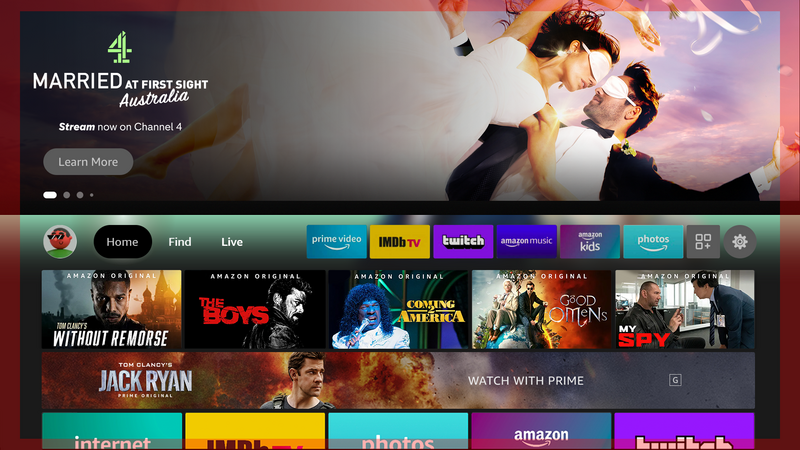
A strong Channel 4 experience comes down to its unapologetic UK variety. You can open the service for mainstream entertainment on E4, lifestyle programming on More4, films from Film4, and the core channel for flagship series.
But 2026 changed the game completely. Channel 4’s drama slate absolutely exploded this year, with hit series like A Woman of Substance, Tip Toe, and Patience driving a 43% surge in drama viewing. Even better, thanks to a massive partnership, UKTV’s standalone “U” service has been directly integrated into Channel 4 streaming as of January 2026. This means you don’t just get Channel 4’s noisy reality formats; you now have access to a massive vault of classic BBC and UKTV shows right inside the app, including the legendary early episodes of the Australian soap Neighbours.
If you are trying to figure out where to stream British classics online or hunt for gripping British dramas, this single app covers an insane amount of ground.
The Interface in Real Life
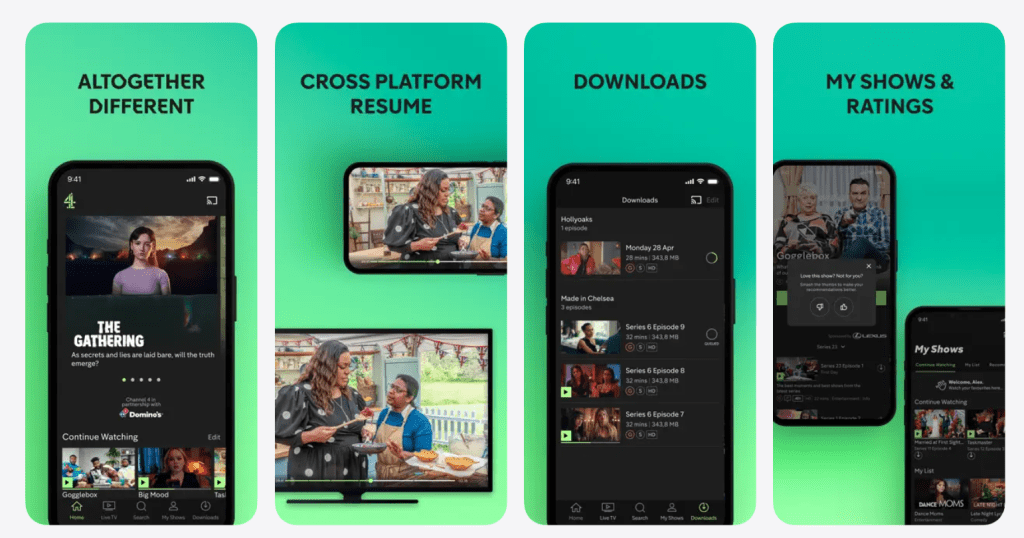
This app shines when you want to bypass the endless algorithmic scrolling found on other massive on-demand entertainment apps. The homepage pushes “continue watching,” recent episodes, and tailored recommendations.
Search is a big deal here, too. It works best when you know what you want, but it’s also forgiving if you only remember a presenter’s name or a genre.
A simple way to use Channel 4 like a pro:
- Immediately hit “Continue Watching” to avoid decision fatigue.
- If nothing jumps out, search by genre rather than a specific title.
- Save a couple of series as your weekly “go-to” options.
Key Features That Actually Matter
The service has plenty of features on paper, but these are the ones that actually change your daily viewing:
- Catch-up speed: Built around recent TV. For many, that’s the whole point.
- Box sets: Box sets make the platform wildly binge-friendly, bridging the gap between old-school catch-up and modern streaming.
- The U integration badge: Shows from the UKTV “U” catalog are seamlessly mixed into your rows and search results with clear “U” badges, so you don’t have to app-hop.
- Live and scheduled feel: It carries the actual rhythm of television, which some viewers vastly prefer over chaotic homepage feeds.
Pricing: Free vs. Channel 4+
For most viewers, Channel 4 streaming is completely free, supported by advertising. That’s the default experience: sign up, pick a show, and deal with the ad breaks.
However, they do offer an optional premium tier (Channel 4+) that strips out the ads on most on-demand content and adds convenience features.
A simple way to look at it:
- If you are budget-conscious, it works flawlessly as a free “extra” alongside your main paid subscriptions.
- If you watch it daily and hate commercial interruptions during the best reality television, the paid add-on is a massive quality-of-life upgrade.
Quick Setup Checklist
Keep it simple, bro. This app is easiest to enjoy when set up as a “grab-and-go” hub:
- Create a single account and keep the password saved in a secure manager.
- Pin Channel 4 to the first row of your smart TV so it’s always one click away.
- Turn on autoplay only if your household loves to binge; otherwise, keep it off to avoid accidental marathon runs.
- If the built-in TV app feels sluggish, switch to a dedicated streaming stick for a snappier experience.
Content Strengths
The catalog is fiercely British. Channel 4 is strongest in:
- Reality and structured entertainment formats.
- UK comedy and panel-style programming.
- Grounded factual dramas and limited series (which are currently breaking platform records).
- Factual shows, current affairs, and hard-hitting documentaries.
Where It Can Frustrate People
- Ads: If you stick to the free tier, ad breaks can totally ruin the pacing of an intense scene.
- Regional Locks: Channel 4 is fiercely protected by UK licensing, so you will run into geo-blocks if you travel outside the region without a solid VPN.
- Licensing Churn: Films and certain acquired series rotate in and out, so a title won’t sit on your watchlist forever.
Safety, Privacy, and Account Controls
This is a mainstream service, but keeping your household’s experience predictable is key:
- Use a strong, unique password.
- Don’t share the login widely, or your recommendations will get totally scrambled.
- If you have kids, use the parental controls to keep mature, late-night Channel 4 programming restricted.
- Protect your payment methods with a PIN if you upgrade to Channel 4+.
Best Alternatives (Depending on Your Vibe)
If this app doesn’t perfectly match what you are looking for, checking out these other digital streaming hubs makes sense:
Netflix / Prime Video: The heavy hitters. Better for massive global blockbusters and big-budget international originals.originals.
BBC iPlayer: The absolute gold standard for polished, ad-free UK catch-up and prestige broadcasting.
ITVX: A direct competitor that perfectly blends a massive on-demand library with live FAST channels and an optional premium tier.
My5: Very useful if you specifically want Channel 5 catch-up and a dead-simple interface.
FAQ
- Is Channel 4 free to use?
Channel 4 is typically free with ads, and registration is usually required. - Is Channel 4 the same as All 4?
Yes. Channel 4 is the current brand for the streaming service many viewers previously knew as All 4. - Can it replace Netflix?
Not really. It complements a global subscription service rather than replacing it. - Does the app work outside the UK?
Availability depends on region and licensing, so some viewers will be limited when travelling. - Does it have live TV?
Many devices include live channels alongside on-demand viewing, though availability can vary. - Are there ads?
Yes. The free experience is ad-supported, and ad breaks vary by show. - Is there an ad-free option?
Some markets offer a paid add-on that reduces or removes ads. - Can viewers download shows?
Offline viewing depends on device and plan; not every platform supports downloads. - Is it good for kids?
It includes some family-friendly programming, but it is not a dedicated kids-first platform. - How does Channel 4 compare with ITVX?
Channel 4 leans into its channel brands and commissioning style, while ITVX has a different mix and library strengths. - Is it good for documentaries?
It’s often a strong pick for factual programming and documentary-style series. - What should viewers do if playback is buffering?
Restart the app, check Wi-Fi speed, update the device, and try a streaming stick if the smart TV app is slow. - Can multiple people use one account?
Yes, but too many shared users can make recommendations messy. - What is the fastest way to find something to watch?
Use search for specific titles, or use “continue watching” to stay focused. - Who should skip Channel 4?
People who never watch UK channels and only want blockbuster originals may not find it essential.
Final verdict
Channel 4 is at its best when it is treated as a smart, free companion to paid subscriptions—not a replacement for everything. For UK TV fans, Channel 4 is an easy “yes”: fast for catch-up, strong for box sets, and surprisingly useful for households that want variety without another monthly bill. If the viewer can tolerate ads (or prefers an optional upgrade where available), Channel 4 can become a daily habit rather than a once-a-month download.