

Hulu is the streaming service that often feels closest to modern TV, combining on-demand binge watching with a strong reputation for current-season style viewing and an upgrade path into live channels for viewers who want more than a basic library. That positioning matters because it changes how people should judge value. This isn’t just a movie-and-series vault. It’s a flexible streaming hub that can scale up or down depending on what a household actually watches.
At its best, Hulu solves a common problem across streaming services: viewers want fresh TV without subscribing to five different platforms, and they want a home screen that doesn’t feel like a random warehouse. It tends to feel built for people who watch series consistently, follow trending shows, and prefer a steady mix of new episodes, comfort picks, and start-something-tonight discovery.
This review breaks down what Hulu is best for, how the content library behaves, which features matter, how plan tiers usually work in real life, where it wins, where it can frustrate people, and what alternatives make sense if the fit isn’t right.
What Hulu Is Best For
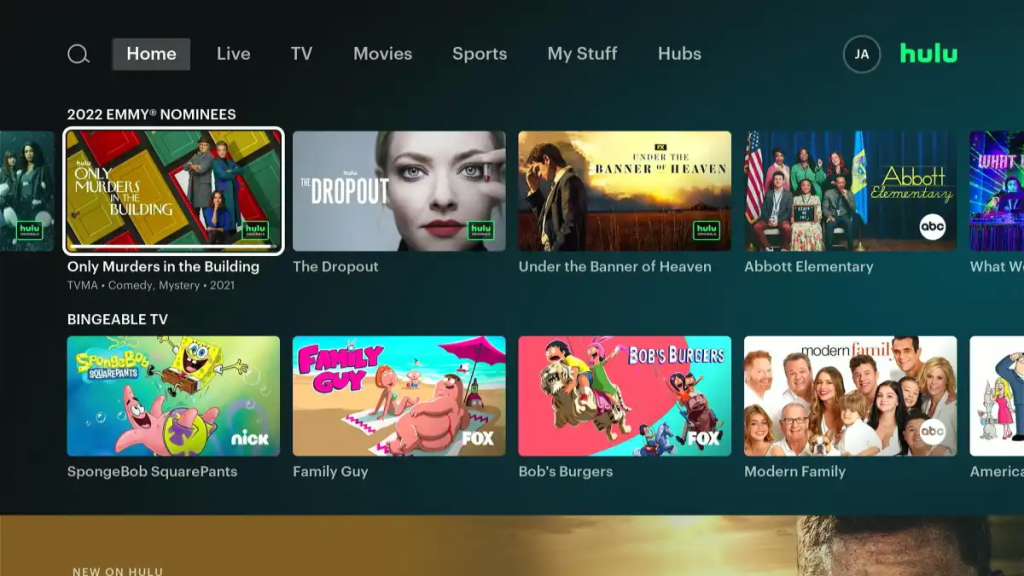
Hulu typically works best for viewers who like TV-first streaming and want a service that feels active, not static.
It’s a strong fit for:
- Viewers who mainly watch series rather than only movies.
- People who want a streaming app that feels close to current TV culture.
- Households that prefer a flexible setup, from basic streaming to more channels.
- Viewers who like comedies, dramas, and easy weekly watching habits.
- Subscribers who enjoy rotating services but still want one reliable platform in the mix.
It can be less ideal for:
- Viewers who mostly want big blockbuster movies every weekend.
- People who hate ad-supported viewing and don’t want to think about plan tradeoffs.
- Households that want one service to provide every genre, every niche, all the time.
- Viewers outside supported regions who want the same catalog everywhere.
A useful way to judge fit: Hulu is strongest for people who want to watch TV shows online consistently and keep a service that stays relevant week to week.
Content Library
The Hulu library usually feels TV-forward. It’s built to support the kind of viewing people do most often: starting shows, following seasons, and having enough variety to avoid boredom without feeling overwhelming.
A practical way to understand the catalog is to think in layers:
- Series-first entertainment: the watch-an-episode-after-dinner lane.
- Binge-friendly seasons: the one-more-episode lane.
- Rotating movies: helpful for variety, but not always the core reason people stay.
- Originals and exclusives: often the subscription anchors for long-term users.
- Add-on expansion: optional content upgrades depending on plan and region.
The catalog feels worth it fastest when the household already has a few TV shows on Hulu that fit its weekly routine.
The Real-Life Value Test
The catalog feels worth it fastest when the household uses it for:
- A main show being followed right now.
- One comfort rewatch series.
- A short queue of next options in the watchlist.
When those three exist, Hulu becomes a nightly habit instead of a once-a-month subscription.
That is why viewers looking for the best series on Hulu usually care less about one huge library and more about whether the service can keep giving them something worth starting after dinner.
The Rotation Reality
Like all major platforms, content availability can shift due to licensing windows and regional rights. The evergreen mindset that prevents frustration is simple:
- Expect some rotation, especially with movies.
- Treat the service as a series-first home base.
- Confirm availability when one specific title is the only reason to subscribe.
This matters most for viewers browsing movies to watch on Hulu, because a movie can be available one month and disappear later depending on rights and region.
Features That Actually Matter
Hulu’s features are less about flashy extras and more about reducing friction in daily use.
Profiles
Profiles are essential for shared households. They keep:
- Watch history clean.
- Recommendations relevant.
- Continue Watching rows from turning into chaos.
- Kids viewing separate from adult viewing.
A household that uses one shared profile often ends up blaming the service for bad recommendations, when it’s really a setup issue.
Watchlists and My Stuff
The watchlist becomes powerful when it’s treated like a queue, not storage.
Actionable method:
- Add 10–20 titles max.
- Remove anything that no longer excites.
- Keep one comfort show ready for low-effort nights.
This single habit can make the platform feel dramatically better.
Add-Ons and Channel Expansion
One of Hulu’s defining features is the ability to expand the experience through add-ons. This matters for viewers who want to keep one main hub rather than hopping between multiple subscriptions.
The key is discipline: add-ons should be chosen for a clear purpose, then removed when not used. That’s how households avoid subscription creep.
Live TV Upgrade Path
For viewers who want more than on-demand, Hulu can be structured to feel closer to cable without returning to cable habits.
That’s valuable for:
- Sports fans, depending on channels and region.
- News watchers.
- Households that like the something-live-is-on feeling.
- Viewers who want a bridge between on-demand streaming and watch live TV habits.
Even if Live TV isn’t used daily, the option itself is part of why the service feels flexible.
Pricing Approach and Plan Tiers
Exact pricing changes over time and varies by plan and region, so the evergreen way to explain the cost is to focus on how viewers typically choose.
Most people are deciding between:
- A lower-cost plan that includes ads.
- A higher-tier plan with fewer ads or no ads.
- Optional upgrades like Live TV and add-ons.
The decision usually comes down to two questions:
Do ads ruin the experience?
Ads might be tolerable for casual background viewing, but they can feel painful during movies or intense drama.
Is this a core service or a rotation service?
If it’s core and used most days, paying for a smoother plan often feels worth it. If it’s rotation, the cheaper plan can be smarter.
A Simple Plan-Picking Process
This keeps Hulu from becoming an expensive habit and turns it into an intentional tool:
- Estimate weekly usage
Is the household using it most days, or only sometimes? - Decide whether the household watches more movies or more series
If the household is series-first and casual, ads may be tolerable. If movie nights matter, fewer ads usually increases satisfaction. - Check whether Live TV is actually needed
Add Live TV only if live viewing is truly part of the household routine. - Review add-ons regularly
If an add-on is not being used, remove it before it becomes silent cost creep.
Hulu feels best when the plan matches real behavior, not what the household hopes it will watch someday.
Who Uses Hulu Long-Term
Hulu tends to keep subscribers when it becomes part of a weekly routine.
Common long-term user types:
- The series follower: always has a show in progress.
- The household streamer: multiple profiles, shared TV, consistent evening viewing.
- The modern TV viewer: wants a mix of on-demand and live-style flexibility.
- The rotation strategist: subscribes during strong seasons and pauses when interest fades.
A realistic long-term strategy many households use:
- Keep one variety service active.
- Keep Hulu active when series viewing is heavy.
- Rotate premium services in for specific seasons or movie libraries.
This is a smart way to reduce costs without sacrificing entertainment.
Advantages
Hulu usually wins in these practical, everyday ways:
- TV-first identity that fits real habits
Many viewers watch shows more than movies. Hulu often feels designed for that. - Flexible upgrade path
On-demand can stay simple, or it can expand into a bigger setup with add-ons and live options. - Strong weekly routine value
It’s easy to build a habit: one episode a night, one season on weekends, one comfort rewatch always available. - Great as a lineup stabilizer
Even when other services rotate, Hulu can stay as the steady what-do-we-watch-tonight option. - Personalization improves with real use
As profiles and watchlists get used properly, the home screen becomes more accurate and less noisy.
Disadvantages
Hulu’s downsides are usually predictable, and they matter depending on expectations.
- Ads can lower satisfaction fast
If the household hates interruptions, an ad-supported plan may feel frustrating. - Not always the best single-service solution
Some viewers expect one subscription to cover everything. That’s rarely realistic, and Hulu is no exception. - Availability and catalog differences can be confusing
The experience can vary by region, and not every viewer will have the same access everywhere. - Add-ons can quietly inflate costs
The service is flexible, but flexibility can become expensive if upgrades are added without a clear plan.
The simplest fix is intentional use: pick the role Hulu plays, then keep the subscription aligned with that role.
Safety, Privacy, and Account Security
Hulu is a mainstream streaming platform, so most risks come from account habits rather than the service itself.
Common issues:
- Reused passwords.
- Sharing logins too widely.
- Kids watching on adult profiles and disrupting recommendations.
- Unwanted purchases if payment settings aren’t controlled.
Practical safety checklist:
- Use a strong, unique password.
- Secure the email account tied to the subscription.
- Use separate profiles for kids and adults.
- Review devices or active sessions occasionally if the account is widely shared.
- Set purchase restrictions or PIN controls if the household uses rentals or upgrades.
For most households, the biggest safety improvement is simply separating kids from adult profiles.
Comparisons That Help Viewers Choose Faster
Hulu is rarely chosen alone. It’s chosen in relation to what the household already uses.
Hulu vs Netflix
Netflix usually wins on massive variety and global discovery. Hulu often wins for viewers who want a more TV-forward experience and a weekly rhythm that feels current and consistent. A household chasing the best series on Netflix may keep Netflix as the big discovery app, while using Hulu for a steadier modern-TV habit.
Hulu vs Prime Video
Prime Video can feel like a hub that blends included streaming with rentals and add-ons. Hulu often feels more focused for series viewing. People who want a clearer TV-first identity often prefer Hulu’s structure, while movie-night households may still use Prime Video for best movies to watch on Amazon Prime and rental flexibility.
Hulu vs Disney Plus
Disney Plus leans heavily into family viewing and franchise rewatch value. Hulu tends to feel broader and more series-first. Many households treat Disney Plus as the franchise home base and Hulu as the everyday TV habit, especially when Disney Plus is already covering movies to watch on Disney Plus for family comfort.
Hulu vs Max
Max often leans prestige and premium drama. Hulu often leans weekly TV habits and broad series comfort. Max can feel like sit down and focus, while Hulu often feels like put on something good tonight. Viewers who care about TV shows on HBO Max may prefer Max for premium nights, while Hulu can work better for weekly viewing.
Hulu vs Peacock and Paramount Plus
Peacock and Paramount Plus can both work well for comfort TV and brand-specific libraries. Hulu usually feels more flexible for viewers who want current TV energy, on-demand shows, and an upgrade path into live channels. Peacock may suit comfort TV habits, while TV shows on Paramount Plus can make Paramount stronger for franchise-led households.
Alternatives to Hulu
If Hulu isn’t the right fit, these alternatives often match different viewing styles:
- Netflix: better for broad variety, binge-first discovery, and global recommendations.
- Prime Video: useful for hub-style flexibility, optional rentals, and best movies to watch on Amazon Prime.
- Disney Plus: stronger for franchise comfort, family viewing, and movies to watch on Disney Plus.
- Max: better for prestige drama, premium series identity, and TV shows on HBO Max.
- Peacock: useful for comfort TV and a TV-style vibe, where supported.
- Paramount Plus: stronger for brand and franchise home-base viewing, especially TV shows on Paramount Plus.
- Streaming services as a lineup: better than expecting one app to solve every viewing need.
The best strategy is usually a small lineup where each service has a job. Hulu works best when its job is modern TV, weekly series viewing, flexible plans, and an optional path toward live channels.
FAQs
1) Is Hulu a good main streaming service?
It can be, especially for viewers who watch series consistently. Movie-first households may prefer pairing it with a stronger movie library.
2) Is Hulu better as a rotation subscription?
For many viewers, yes. Subscribing during strong seasons and pausing during slow periods is a smart way to control costs.
3) Does Hulu have ads?
Many plans are structured around ad-supported and higher-tier options. Ads can be fine for casual viewing but annoying for movies and intense drama.
4) Is Hulu worth it if the household already has Netflix?
It can be. Netflix is often the “variety engine,” while Hulu can become the “weekly TV habit” platform.
5) What kind of viewer enjoys Hulu most?
Someone who watches series regularly and wants a steady, TV-forward streaming experience.
6) Is Hulu good for families?
Yes, especially when profiles and parental controls are used properly, and kids have their own profile.
7) Can kids mess up recommendations?
Yes—quickly. Kids should always use their own profile so adult recommendations stay accurate.
8) How can viewers get more value from Hulu fast?
Use profiles, keep a short watchlist queue, and decide whether the service is core or rotation.
9) Does Hulu have Live TV?
Some setups offer a Live TV upgrade path. It’s best for households that genuinely watch live channels, not just occasionally.
10) Is Hulu good for sports?
It depends on the household’s plan and channel availability. Sports fans should confirm what’s included in their region before subscribing.
11) Is Hulu good for movie nights?
It can be, but movie-first households may prefer pairing it with a platform known for premium movie libraries.
12) Why does the library change over time?
Licensing windows and rights agreements can shift. Rotation is normal across streaming services.
13) Is Hulu safe to use?
Yes, but security depends on strong passwords, avoiding phishing attempts, and using profiles responsibly.
14) Can Hulu replace cable?
It can for some households, especially if live upgrades match what the household actually watches. It won’t be a perfect replacement for everyone.
15) Who should skip Hulu?
Viewers who only want a huge blockbuster movie catalog or who dislike managing plan choices may prefer a simpler alternative.
Final Verdict
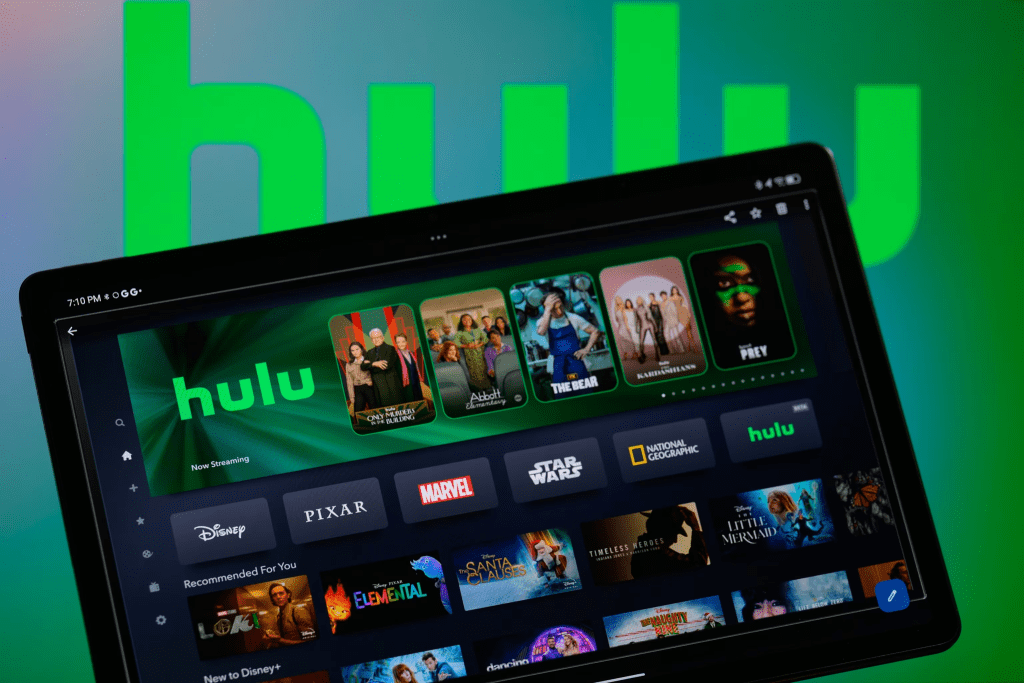
Hulu is a strong choice for viewers who want a TV-forward streaming experience that supports weekly routines, binge-friendly seasons, and optional upgrades for households that want more than a basic library. It’s at its best when it becomes a reliable “what do we watch tonight?” platform—especially in multi-service households where one app needs to keep things practical and current.
For people who watch series consistently, Hulu often earns a long-term spot in the streaming lineup, either as a core subscription or as a smart rotation service that returns whenever the season’s best shows start dropping again.