
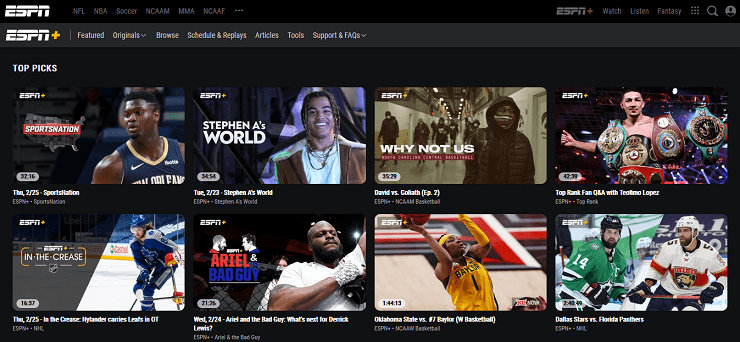
ESPN Plus is a sports streaming subscription designed to add depth to a sports fan’s weekly viewing: more live events, more replays, more originals, and more “there’s always a game on” variety inside the ESPN ecosystem. Among sports streaming sites, it works best when viewers understand what it is and what it is not.
It is not the same thing as having the ESPN cable channels, and it is not trying to be a full replacement for every sports broadcast a household might want. That difference matters because many viewers get frustrated when they expect one subscription to unlock every ESPN event everywhere.
The best way to judge ESPN Plus is simple: does it cover the sports a viewer actually watches, at the times they usually watch, on the devices they prefer? For households that still like to watch live TV when sport is involved, ESPN Plus can be useful, but only when the schedule matches the viewer’s real habits.
What ESPN Plus Actually Is
A lot of frustration comes from one misunderstanding: ESPN Plus is not automatically everything ESPN.
It is a separate subscription layer inside the broader ESPN app experience.
Here’s the practical breakdown:
- ESPN Plus gives access to subscription content such as selected live events, replays, originals, documentaries, and additional coverage.
- ESPN cable channels are usually separate and may require cable, satellite, or certain live-TV streaming packages.
- Some major events require specific access depending on rights, channel placement, and location.
- Availability can change based on sport, region, and broadcast agreements.
So ESPN Plus works best when it is treated as a sports expansion pack: more events, more depth, more replays, and more on-demand coverage.
It should not be treated like one magic switch that unlocks every major broadcast.
What You Can Watch
ESPN Plus tends to deliver value through volume and variety. That is the core promise.
It is usually strongest for viewers who enjoy more than one sport and want a steady weekly stream of events, not only the biggest headline games.
Live Sports Variety
The service can be useful for fans who like having live sport available regularly, especially when they are open to different competitions and events.
This is where ESPN+ live sports makes sense as a phrase because the value is not only one league or one tournament. It is the broader habit of opening the app and finding something worth watching.
That said, viewers should always check the current schedule before subscribing. Sports access changes, and no sports platform should be judged without checking what is actually live this month.
Replays and Catch-Up Viewing
Replays are one of the biggest real-world benefits.
Many sports fans cannot watch every event live. Work, family, time zones, and late start times get in the way.
A strong replay setup helps viewers:
- Catch a match later.
- Watch weekend events during the week.
- Avoid missing a game completely.
- Follow sports that happen at awkward times.
- Use the subscription even when live viewing is not possible.
For busy households, replays can be just as valuable as live access.
Originals and Documentary Depth
ESPN Plus also makes sense for viewers who enjoy sports storytelling beyond the live event.
That includes originals, analysis, profiles, and sports documentaries that give fans more context around athletes, teams, rivalries, and major moments.
This matters because not every sports fan only wants the final score. Some viewers enjoy the story behind the result: pressure, training, controversy, comeback arcs, and the personalities that shape the sport.
More Coverage Inside the ESPN Ecosystem
ESPN Plus works best when the viewer already likes the ESPN environment.
For those viewers, the service adds extra depth:
- More events.
- More replays.
- More sports coverage.
- More on-demand viewing.
- More ways to stay inside the sports routine.
That makes it especially useful for people who already check ESPN regularly and want the subscription layer to add value rather than replace everything else.
What ESPN Plus Is Not Built to Guarantee
ESPN Plus is useful, but it has limits.
It is not built to guarantee:
- Every biggest game of the week.
- Every major league broadcast.
- Every ESPN cable channel.
- One subscription that replaces all sports networks.
- Perfect access to every event in every region.
That does not make it bad. It just means expectations need to be set properly.
A good rule: ESPN Plus is best for people who watch sports often and enjoy variety, not only headline events.
Features That Matter in Real Households
Sports streaming lives or dies on friction.
When it feels smooth, a household uses it constantly. When it feels confusing, it gets canceled fast.
Search and Discovery
Sports viewers don’t browse like movie viewers.
They usually look for:
- Live now.
- Replay.
- Upcoming.
- Highlights.
- Team.
- League.
- Event.
- Sport.
A good ESPN Plus experience should help viewers get to the right event quickly.
If someone needs several minutes to figure out where a match is, the app already feels stressful. Sports viewing should feel direct, especially when an event is about to start.
Replays and Catch-Up Tools
Replay access is the hidden hero of sports subscriptions.
A viewer who can’t watch live may still want the match:
- Later that night.
- The next morning.
- Over the weekend.
- After work.
- During travel.
- Before the next fixture.
ESPN Plus becomes more useful when it supports those habits reliably.
For many viewers, the subscription is not only about live viewing. It is about not losing access to the sport just because life got busy.
Device Flexibility
Sports happens everywhere.
People watch on:
- Phones while waiting.
- Laptops between tasks.
- Tablets in bed.
- TVs for prime-time events.
- Second screens while another game is on.
- Shared household devices.
If ESPN Plus works smoothly across devices, it becomes part of the routine instead of a “sometimes” app.
That flexibility matters because sports fans often move between screens depending on the importance of the event.
Watchlists and Reminders
A watchlist or reminder system helps reduce missed events.
This is especially useful in homes where different people follow different sports. One person may care about soccer, another about combat sports, another about college sports, and someone else may only care about documentaries.
A reminder turns “I might watch” into “I actually watched.”
That small feature can decide whether the subscription feels useful or forgotten.
Rights, Blackouts, and Why a Game Sometimes Isn’t There
This is where sports streaming gets misunderstood.
Sports rights are sliced up by:
- League.
- Competition.
- Broadcaster.
- Platform.
- Region.
- Local market.
- Live rights.
- Replay rights.
That means even with ESPN Plus, some events can be restricted or unavailable live in certain locations.
This is not always the viewer doing something wrong. It is how sports rights work.
How Viewers Should Handle It
The best approach is practical:
- Check the event details inside the app
The listing may explain what is included and where it is available. - Check whether the event is on ESPN Plus or another ESPN channel
Some events may sit outside the subscription layer. - Look for replay options
A blocked live event may still have a replay or highlights later. - Compare against the sport that matters most
If the household’s must-watch games are often unavailable, another service may be a better fit.
This is why ESPN Plus is usually strongest as an add-on, not a single all-sports solution.
Plans, Bundles, and Pricing Logic
Pricing changes. Promotions come and go. Bundles shift.
So the best way to think about ESPN Plus value is usage, not today’s exact number.
A Practical Value Test
ESPN Plus usually makes sense when:
- The viewer uses it multiple times per week.
- The household watches more than one sport.
- Replays are used regularly.
- The viewer enjoys originals and sports storytelling.
- The subscription fills real gaps in the sports routine.
It makes less sense when:
- The viewer uses it only a few times per month.
- The household only wants one specific league.
- The desired sport is not consistently available.
- The viewer expected full ESPN cable access.
- Nobody uses replays or on-demand content.
A simple question helps: would this viewer open ESPN Plus three or four times in a normal week?
If yes, it can earn its place. If not, it may be better as a rotation subscription.
Bundles Can Matter
ESPN Plus often makes more sense when it is part of a broader household bundle.
That can work when:
- One person wants sports.
- Another wants entertainment.
- The household wants predictable billing.
- The family already uses related services.
- The bundle is cheaper than keeping separate subscriptions.
Still, the viewer should not keep a bundle just because it sounds convenient. The service needs to be used.
Explain the ESPN Difference Clearly
Some people see ESPN Plus and assume it includes all ESPN channels.
That is where disappointment starts.
If the household wants traditional ESPN network access, they may need cable, satellite, or a live-TV streaming package. ESPN Plus should be understood as extra sports coverage and on-demand depth, not a full cable replacement.
That one distinction makes the whole service easier to judge fairly.
Who ESPN Plus Is Best For
ESPN Plus is strongest when the viewer already has sports as part of a weekly routine.
Multi-Sport Fans
This is probably the cleanest fit.
A multi-sport fan is open to different events and does not only care about one headline league.
They may watch:
- One live event during the week.
- A replay after work.
- A documentary over the weekend.
- Highlights from another sport.
- A smaller competition they wouldn’t normally find elsewhere.
For that viewer, ESPN Plus feels active.
Replay-First Viewers
Some people love sport but cannot build life around live schedules.
They need catch-up access.
For them, ESPN Plus can work because replays help protect the value of the subscription. The viewer does not have to miss everything just because they missed the live window.
Sports Documentary Fans
Some viewers care as much about the story as the event.
They enjoy athlete profiles, behind-the-scenes moments, rivalries, team history, and major sports moments retold with context.
This is where ESPN Plus can sit near other sports documentaries options, because the service is not only about live games.
Mixed-Taste Households
ESPN Plus can also work when one person in the household wants sports regularly, while other entertainment needs are handled elsewhere.
In that setup, ESPN Plus does not need to satisfy everyone. It just needs to satisfy the sports fan often enough.
Who May Not Need ESPN Plus
ESPN Plus is less ideal for:
- People who only watch one league.
- Viewers who expect every marquee game.
- Households that want one sports subscription to replace everything.
- Casual fans who only watch finals or playoffs.
- People who never use replays.
- Viewers who only want highlights.
For those users, a league-specific service, live-TV package, or free highlights may be enough.
Advantages
ESPN Plus has several clear strengths.
A Lot of Sports When Used Often
ESPN Plus rewards frequent viewers.
If someone opens it often, checks the schedule, watches replays, and explores different sports, the subscription can feel active all week.
That volume is one of its biggest advantages.
Replays Increase Real-World Value
Missing a match does not always mean missing it completely.
For busy people, this matters.
A replay can turn ESPN Plus from a live-only product into something more flexible.
Strong Sports Depth
ESPN Plus works well for fans who don’t only chase headlines.
It can support viewers who like depth: more events, more coverage, more context, and more sports storytelling around the main calendar.
Pairs Well With Other Services
ESPN Plus is often most satisfying when it is part of a broader setup.
A household may use:
- ESPN Plus for extra sports depth.
- A live-TV package for traditional channels.
- A league app for one specific competition.
- A general entertainment platform for movies and series.
That kind of setup is more realistic than expecting one app to carry every sport.
Disadvantages
ESPN Plus also has real limits.
Not a Full ESPN Channel Replacement
If a viewer expects the same experience as having ESPN through traditional TV, they can feel disappointed.
The name can create expectations that the product does not always match.
Rights and Availability Can Be Confusing
Some events are restricted by region, league rules, or broadcast agreements.
That can frustrate viewers who think, “If it is ESPN, it should be here.”
Sports does not work that simply.
Can Be Overkill for Casual Viewers
If someone watches sports rarely, ESPN Plus becomes easy to pause or cancel.
A subscription should match usage. If the viewer is not watching regularly, it will not feel essential.
One-Sport Viewers Need to Be Careful
A viewer who only wants one sport should check the schedule first.
If that sport is not consistently available, ESPN Plus may not be the best fit. A league-specific option or another provider may serve that viewer better.
Safety, Privacy, and Account Best Practices
Sports accounts get shared. That’s where problems start: unexpected logouts, payment issues, device conflicts, and privacy headaches.
Best practices:
- Use a strong password and don’t reuse it.
- Enable two-step verification if available.
- Log out on devices the household no longer uses.
- Add purchase controls or PIN restrictions on shared TV devices.
- Avoid unofficial free sports streaming links.
- Keep apps and devices updated.
- Use official app stores and trusted platforms only.
This keeps ESPN Plus simple: watch sports, not deal with account drama.
Why Free Sports Links Are Risky
Sports fans are most vulnerable during big events.
That is when fake streams, pop-ups, copied login pages, and suspicious links spread fastest.
A viewer looking for a last-minute stream may accidentally give away account details or payment information.
The safest habit is boring but effective: use official access only.
Alternatives
The right alternative depends on what the viewer actually wants.
If the Goal Is Full ESPN Channel Access
A live-TV streaming package or traditional TV access is usually the correct solution.
It costs more, but it is built for full channel coverage.
ESPN Plus should not be treated as the direct replacement for that.
If the Goal Is One Specific League
League-specific services can be better because they are designed around that schedule.
A fan focused on one sport may get cleaner value from an official league service, especially if they care about every game, team pages, standings, condensed replays, or league-only content.
For example, a viewer trying to decide where to watch NBA or where to watch NFL should compare the actual league access first before assuming ESPN Plus is enough.
If the Goal Is Maximum Global Variety
Some international sports platforms can be a better fit depending on region and rights.
The best choice depends on what the viewer watches most:
- Football.
- Tennis.
- Cricket.
- MMA.
- College sports.
- Combat sports.
- Niche competitions.
- Documentaries and originals.
A broad sports fan may need a mix, not one single service.
If the Goal Is Highlights Only
A highlights-first option may cover casual needs without another subscription.
That could mean:
- Official YouTube channels.
- League apps.
- Team apps.
- Sports news apps.
- Social clips.
- Free post-game coverage.
For casual viewers, that may be enough.
ESPN Plus vs CBS Sports
CBS Sports can work well as a sports hub for scores, highlights, analysis, news, and live access where available.
ESPN Plus is more of a paid sports subscription layer.
A viewer may use both differently: CBS Sports for tracking and ESPN Plus for selected events, replays, and on-demand sports depth.
ESPN Plus vs Fox Sports
Fox Sports can be relevant when the viewer follows competitions or broadcasts where Fox has stronger rights.
This comparison should be based on the events the household actually watches, not brand preference.
A viewer should check the current schedule, access requirements, and device support before choosing.
ESPN Plus vs UFC Fight Pass
For combat sports fans, UFC Fight Pass Review can be a more useful comparison if the viewer’s main interest is fight archives, UFC-related content, and combat-sport depth.
ESPN Plus may be relevant for certain sports coverage depending on region and rights, but a fight-first viewer should compare the actual events and libraries before subscribing.
Alternatives by Viewing Need
If the viewer wants full ESPN channels, compare:
- Live-TV streaming packages.
- Cable or satellite access.
- Regional TV bundles.
- Sports add-ons through existing providers.
If the viewer wants extra sports depth, compare:
- ESPN Plus.
- CBS Sports.
- Fox Sports.
- League-specific services.
- Multi-sport streaming options available locally.
If the viewer wants one league, compare:
- Official league apps.
- Team platforms.
- Regional broadcasters.
- League streaming services.
- Provider packages carrying the must-watch games.
If the viewer wants highlights only, compare:
- Official YouTube channels.
- Sports news apps.
- League apps.
- Team social channels.
- Free recap shows.
ESPN Plus works best as a sports-depth subscription: live events where available, replays, originals, documentaries, and extra coverage. It is strongest when the viewer uses it often, understands that it is not full ESPN channel access, and chooses it because the schedule actually matches their sports habits.
FAQs
- Is ESPN Plus the same as ESPN on cable?
No. ESPN Plus is a separate subscription with its own library of live events, replays, and originals. Traditional ESPN channels are a different type of access. - Does ESPN Plus include every major game?
No. Sports rights vary by league, event, and location. Some marquee games may require different access. - Is ESPN Plus worth it for casual sports fans?
Only if it gets used consistently. If sports viewing is occasional, it’s usually better as a rotation subscription. - Can viewers watch replays on ESPN Plus?
Yes, replays are a major part of the value for many viewers, especially those who can’t watch live. - Does ESPN Plus work on TVs?
Yes, through supported smart TV apps and streaming devices, depending on the household setup. - Why does a game sometimes show as unavailable?
Rights restrictions and location-based rules can limit certain live telecasts. Replays or alternate access may be available. - Is ESPN Plus good for families?
Yes, especially when profiles and device controls are set up properly to avoid accidental purchases. - Can one household use ESPN Plus on multiple devices?
Most households can, but device limits and simultaneous streaming rules can vary by plan and platform policies. - Is ESPN Plus better than a live TV sports bundle?
They serve different needs. ESPN Plus is best as an add-on for extra events and replays. Live TV bundles are built for full channel coverage. - Does ESPN Plus include sports documentaries?
Yes. Many viewers subscribe partly for documentary and original content, not only live events. - What’s the fastest way to get value from ESPN Plus?
Follow the sports you actually watch weekly, use replays when live viewing isn’t possible, and keep a watchlist so content doesn’t get lost. - Who should skip ESPN Plus?
Someone who watches sports rarely, or someone who only wants a single league’s biggest games and expects them all included automatically. - Can ESPN Plus replace all other sports apps?
Usually not. Most sports fans still use multiple services depending on what they watch and where rights sit. - Is ESPN Plus a good “backup” subscription?
It can be, but it performs best when it’s used regularly. If it sits unused, it’s better to pause it and reactivate when needed. - What should a viewer check before subscribing?
Look at the next few weeks of the sports calendar, confirm what’s included, and compare it to the household’s actual viewing habits.
Final Verdict
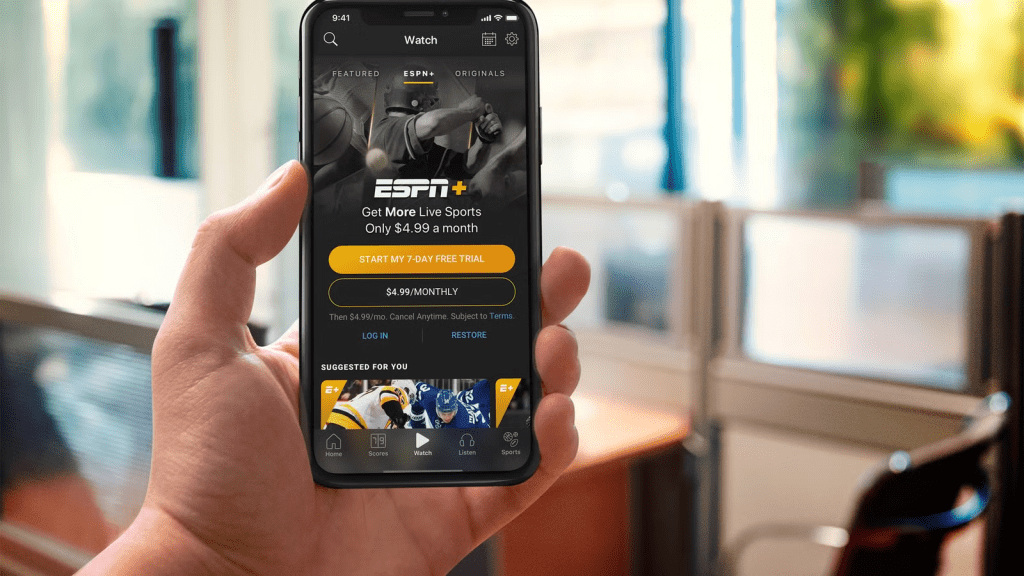
ESPN Plus is at its best as a high-usage sports add-on: extra live events, strong replay value, and a deep library that rewards viewers who watch sports regularly. It won’t satisfy people who expect every marquee broadcast across every league, and it shouldn’t be framed as a complete channel replacement. But for multi-sport fans, replay-first viewers, and households that want reliable sports depth without committing to a full live TV bundle, ESPN Plus is a smart, flexible subscription that can earn a steady place in the ForeverWatch streaming lineup.