

Apple TV is one of the most misunderstood names in streaming, and the confusion isn’t the viewer’s fault. The same label gets used for a hub app, a streaming device, and a subscription library—so people often sign up for one thing while expecting another.
Once the three layers are understood, the experience becomes simple. The hub helps viewers browse and resume shows in a cleaner way. The device (if used) can make a laggy smart TV feel noticeably faster. And the subscription library (TV+) works best as a quality-focused add-on rather than an “everything in one place” replacement.
For ForeverWatch, this matters because the site is built around helping people figure out what to watch and where to watch it. This platform shines when it reduces friction: fewer clicks, fewer dead ends, and less time spent bouncing between apps.
What It Is
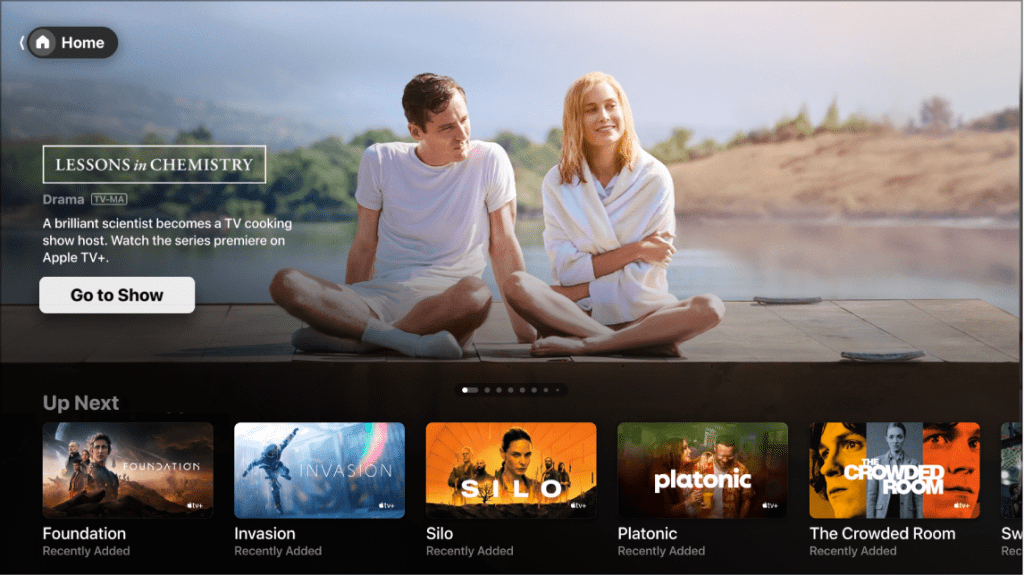
The easiest way to understand Apple TV is to separate it into three distinct products that often get blended together in conversation:
- The TV app (hub layer): a central interface for browsing, searching, and continuing shows—often pointing viewers to the correct streaming service.
- The 4K streaming box (device layer): hardware that runs streaming apps smoothly and can outperform many built-in smart TV systems.
- TV+ (subscription layer): a paid streaming library of originals that can be watched inside the TV app.
That’s it. No mystery. The frustration happens when a viewer expects the hub to include a massive catalog by default, or buys the device thinking it automatically includes the subscription library.
A useful rule: the hub organizes, the device powers, and the subscription adds extra content.
Setup and First-Day Experience
Most households have the same goal on day one: “Press play faster with less hassle.” Apple TV can deliver that, but the setup should match the household’s real situation.
If the TV is already fast:
The hub layer can still help with discovery and watchlist flow, but the upgrade will feel more about organization than speed.
If the TV feels slow or glitchy:
The device layer can be a real quality-of-life improvement—apps load quicker, switching feels smoother, and the living-room experience becomes more reliable.
If the household mainly wants more content:
That’s where TV+ comes in. It’s a curated library, not a huge back catalog. When people treat it like a premium add-on, satisfaction is higher.
Quick win: set up profiles early. Shared viewing without profiles usually turns recommendations into a mess within a week.
Features That Matter in Real Households
The best streaming features aren’t flashy—they’re the ones that remove friction every single night.
1) A cleaner “home base” for watching
A calmer interface sounds small until a household realizes they’re wasting 15 minutes scrolling, forgetting what they opened, and starting over. A well-structured home screen reduces that “what now?” feeling.
2) Strong continue-watching behavior
People rarely quit a platform because it lacks titles. They quit because the experience feels annoying. A reliable “resume” row keeps momentum and makes the TV feel consistent.
3) Search that reduces app-hopping
Instead of checking multiple apps separately, the hub tries to surface where a title is available. Even when it’s not perfect, it can reduce the usual “open five apps” routine.
4) Watchlist discipline
The watchlist is powerful when it stays short. The moment it becomes a dumping ground, decision fatigue returns. The best approach is to keep a tight list and remove items fast.
5) Performance upgrade (when using the device)
This is where Apple TV can feel premium: smoother navigation, faster app loading, and fewer random crashes compared to some smart TV operating systems.
What TV+ Feels Like
TV+ is the part people judge most quickly—and sometimes unfairly. It’s not designed to be the biggest library. It’s designed to deliver a tighter, high-production lineup of originals.
That means the “feel” is different from giant catalog streamers:
- Less endless scrolling
- More curated options
- More “try this next” momentum if a viewer likes the style
Who tends to love it:
Viewers who value quality over quantity, and households that already have a broad catalog service but want something more premium as a second subscription.
Who tends to feel disappointed:
Viewers who want sports-first content, heavy reality variety, or a massive back catalog that covers every mood every day.
A smart way to use it: subscribe when there are several must-watch titles lined up, then rotate off when the household runs out of interest.
Pricing Approach (Clear, Without Date Stamping)
Costs depend on which layer the household is using. That’s why people get confused—because they assume one price covers everything.
Here’s the clean breakdown:
- Hub/app layer: typically used as an interface without requiring a standalone monthly fee.
- Device layer: a one-time purchase if the household chooses the streaming box.
- Subscription layer (TV+): a recurring monthly subscription where available.
- Optional rentals/buys: additional pay-per-title spending if the household uses the storefront.
Budget tip: if rentals become frequent, it’s worth checking whether a different subscription would cover those titles more cheaply over time.
Who It’s Best For
Apple TV fits best when the household has one of these needs:
The “make my TV feel premium” household
If the current TV interface is laggy, a dedicated device can be a meaningful upgrade.
The multi-service household
The more subscriptions a home uses, the more valuable a hub becomes.
The quality-first viewer
TV+ works well for viewers who want a curated lineup and don’t want to scroll through endless filler.
The “decision fatigue” household
People who spend more time choosing than watching usually benefit most from better organization and resume flow.
Advantages
1) Clearer, smoother living-room experience
Better organization plus better performance (when using the device) can make streaming feel effortless again.
2) Excellent for households with mixed tastes
A central hub makes it easier to manage multiple services without chaos.
3) TV+ works well as a premium add-on
It complements a bigger catalog streamer instead of trying to replace it.
4) Less friction from couch to content
When the TV experience is responsive, people actually watch more and complain less.
Disadvantages
1) Naming confusion is a real problem
People expect one thing and buy another. This is the biggest downside and it’s avoidable, but common.
2) TV+ can feel “small” as a main subscription
It’s not built to compete on raw catalog size.
3) Rentals/buys can quietly add up
Convenience spending is still spending. Shared households need purchase controls.
4) Experience varies by device and region
A hub is only as good as the services and device integrations available where the viewer lives.
Safety and Household Controls
Streaming platforms are generally safe, but shared screens create predictable issues: accidental purchases, messed-up recommendations, and privacy annoyances.
Best-practice checklist:
- Use a strong password and keep account recovery options updated
- Turn on purchase restrictions if kids use the TV
- Separate profiles so watch history stays clean
- Avoid saving payment details on shared profiles unless restrictions are enabled
- Only install apps from official app stores
When purchase controls are set, Apple TV can work well in family settings—especially in homes where the TV remote gets passed around constantly.
Alternatives That Make Sense
The best alternative depends on the real goal:
- For maximum simplicity: Roku-style platforms often win for “easy and minimal.”
- For biggest catalog value: a large general streaming service works better as the main subscription.
- For sports-first households: dedicated sports services or broadcaster apps are usually the better fit.
- For performance upgrades: any high-quality streaming box can help, especially when a TV’s built-in software is weak.
FAQs
1) What does Apple TV actually refer to?
It can refer to the hub app, the streaming device, or the TV+ subscription library—depending on context.
2) Is TV+ the same thing as the TV app?
No. TV+ is the subscription library. The TV app is the hub interface that can organize viewing and open supported services.
3) Does the streaming box automatically include TV+?
Not automatically. The device is hardware. The subscription is separate.
4) Does a viewer need the device to use the hub app?
Often no. Many smart TVs, phones, and streaming devices support the hub app.
5) Is TV+ enough as a household’s only subscription?
For most households, it works better as a second subscription alongside a bigger catalog service.
6) Why do some people say the platform is “confusing”?
Because the same name is used for three layers, and people assume it’s one single product.
7) What’s the biggest benefit of using the hub layer?
Less app-hopping, easier resume watching, and a more organized viewing flow.
8) Can rentals and buys become expensive?
Yes. It’s convenient, so spending can creep up—especially in shared households.
9) Is it good for families?
Yes, especially with profiles and purchase restrictions configured properly.
10) Can kids ruin recommendations?
Very quickly. Separate profiles prevent that.
11) What’s the main reason to buy a dedicated streaming box?
Speed and reliability—especially if the TV’s built-in software is slow or buggy.
12) Who should skip TV+?
Viewers who mainly want massive catalogs, sports-first content, or heavy reality variety may get better value elsewhere.
Final Verdict
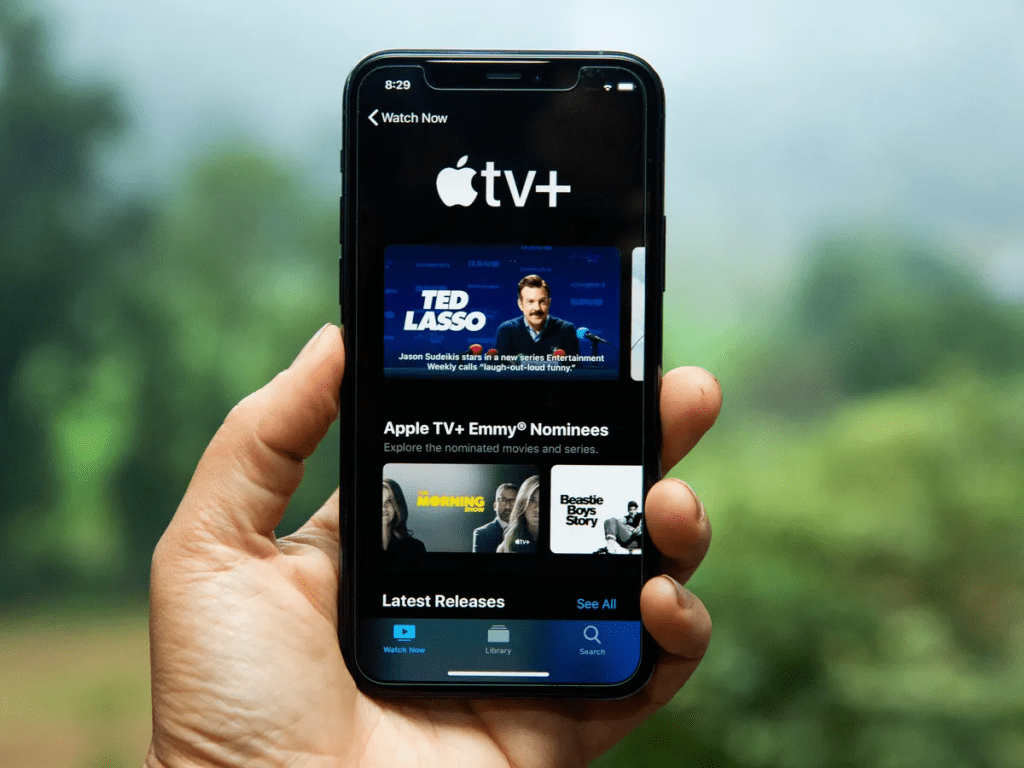
Apple TV is at its best when it’s treated as a layered solution: a hub that organizes viewing, an optional device that improves performance, and a curated subscription library that works best as a premium add-on. Once the household chooses the right layer for the right reason, Apple TV becomes less about hype and more about something that genuinely makes the living-room experience smoother.