BBC iPlayer is one of the cleanest examples of what a modern catch-up platform should feel like: fast to open, easy to browse, and packed with recognizable BBC programming that people actually want to watch. It’s built around two simple behaviors—watch live, or catch up later—and it does both without making the viewer fight the interface.
Where BBC iPlayer gets misunderstood is access and expectations. It’s not a global “anywhere” streamer, and it’s not trying to compete with the endless-library model of major subscription platforms. Instead, it’s a focused service that works best for viewers who want BBC content, current shows, and box sets that rotate in and out as licenses change.
This review breaks down what BBC iPlayer is, how it fits into real streaming lineups, what it does well, where it can frustrate viewers, and who should consider alternatives.
What BBC iPlayer Actually Is
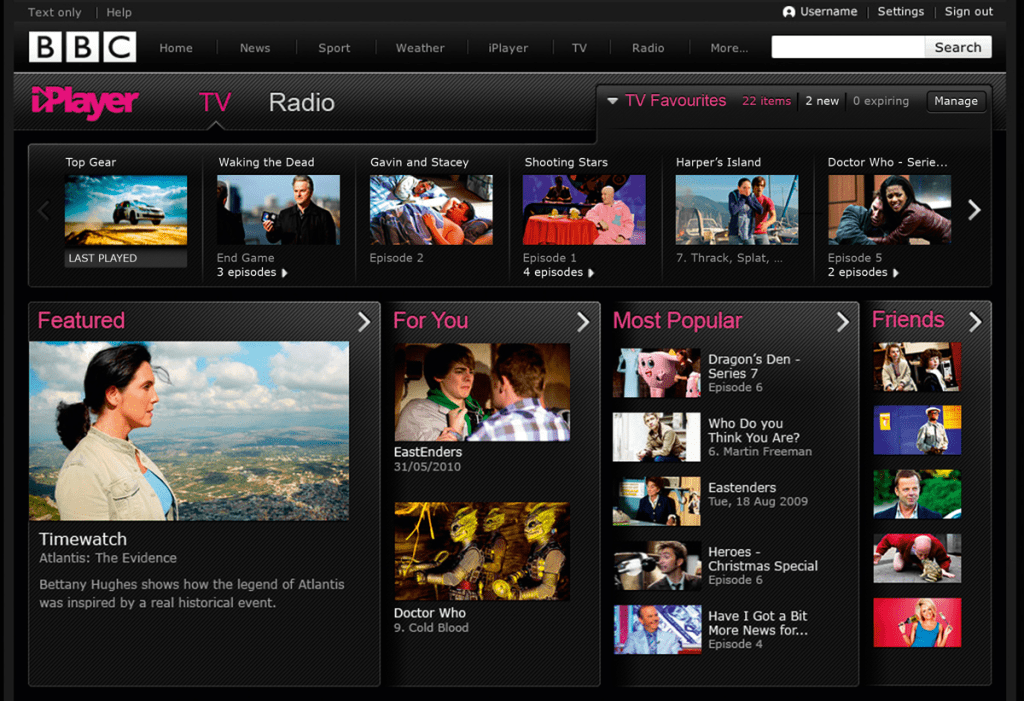
BBC iPlayer is the BBC’s streaming hub for:
- Live BBC channels (watch now)
- Catch-up TV (watch later)
- Box sets and featured collections (binge-friendly viewing)
It’s not a single “all-studios” library and it’s not designed to replace every streaming subscription. It’s closer to a premium broadcaster app experience, but with stronger on-demand depth than the typical catch-up service.
A simple way to frame it for readers is:
- If the viewer watches BBC channels, BBC iPlayer is the easiest way to keep up.
- If the viewer mostly watches global originals and blockbuster movies, BBC iPlayer is usually a complementary service, not the main one.
- If the viewer wants British TV and doesn’t want to scroll for ages, BBC iPlayer can feel refreshingly direct.
Content Library and Viewing Experience
BBC iPlayer’s strength is curation + familiarity. Viewers don’t come here hoping to stumble across a random hidden gem from an unknown studio. They come for BBC programming they already trust—or they come because they want British storytelling, news, documentaries, drama, comedy, and reality formats that feel different from the typical algorithm-heavy streaming experience.
What viewers typically like about the library
- A strong mix of drama, comedy, factual, and reality
- Limited-series storytelling that’s easier to finish than endless multi-season shows
- A steady flow of current episodes for popular BBC programming
- Collections that are easy to understand (instead of endless genre clutter)
What to set expectations around
- Some titles rotate out. That’s normal.
- It won’t always have the “biggest Hollywood movie of the month.”
- Availability can depend on rights, categories, and region.
In practice, BBC iPlayer works best when a viewer wants:
- something high quality that’s easy to start
- a show that feels curated, not random
- a service that doesn’t require 15 minutes of browsing to pick one thing
Key Features That Matter
BBC iPlayer wins on the basics. That’s why it’s so usable.
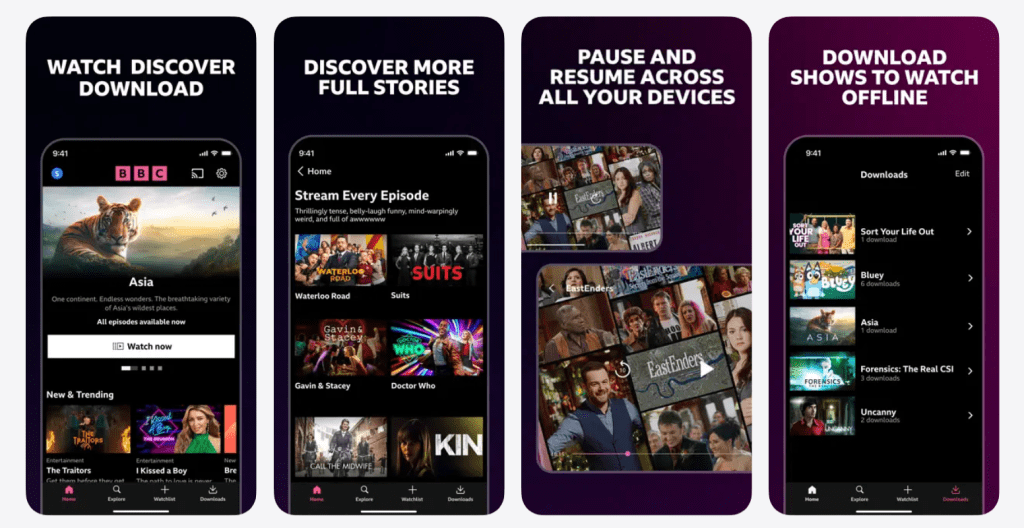
Live TV that feels simple
A viewer can open the app and immediately watch BBC channels live. For households that still enjoy live TV (news, sports coverage, events, scheduled shows), this matters.
Catch-up that fits real schedules
The entire point of catch-up is: “I missed it yesterday. I want it tonight.” BBC iPlayer is designed around that reality, not around endless scrolling.
Strong discovery without chaos
Some streaming apps overwhelm users with rows and categories that feel like a maze. BBC iPlayer tends to be more selective, which makes it easier to actually start watching.
Profiles and household flow
In shared households, viewing tastes collide fast. A good setup helps keep each person’s recommendations and progress cleaner.
Download/offline viewing (when available)
For people who travel or have unstable home internet, offline viewing becomes a practical advantage—especially for commuters and students.
Pricing and Access
BBC iPlayer is unusual compared to typical streamers because it’s closely tied to how the BBC is funded and distributed.
The smartest way to explain the cost (without relying on numbers):
- BBC iPlayer is generally available to viewers in the UK under the BBC’s access rules.
- It’s not positioned like a “standard monthly streaming subscription” in the same way global platforms are.
- Access and availability are linked to location and broadcasting rules, not simply to paying a subscription fee like Netflix-style services.
That means the “value” conversation is less about “Is it cheap?” and more about:
- Does the viewer want BBC shows and BBC live channels?
- Does the viewer watch enough of this type of content to use it weekly?
- Is the viewer located in a region where the service is intended to operate?
For UK-based households, BBC iPlayer can feel like one of the most consistently useful entertainment apps—because it combines live TV, catch-up, and box sets in a single place.
Who BBC iPlayer Is Best For
This is where a good review becomes useful.
Best fit viewers
- People who watch BBC programming regularly (even casually)
- Viewers who enjoy British drama, comedy, documentaries, and factual series
- Households that like live TV plus catch-up instead of only binge-watching
- Anyone who wants a low-friction app that helps them pick something fast
Not the best fit viewers
- People outside the intended operating region who expect the same access they get from global services
- Viewers who only want blockbuster movies and global originals
- People who prefer one “mega library” and dislike rotating availability
A helpful way to position BBC iPlayer is: it’s a reliable part of a British-TV lineup, not a universal replacement for every streaming subscription.
Advantages
Easy to use without a learning curve
The interface is generally straightforward, which makes it friendly for both tech-savvy viewers and older family members.
Strong BBC brand consistency
A viewer usually knows what they’ll get: quality production, familiar formats, and a wide mix that isn’t built purely around trends.
Live + catch-up in one place
Many streamers are either live-TV focused or purely on-demand. BBC iPlayer blends both in a way that feels natural.
Curation helps viewers decide faster
When collections are curated well, the viewer spends less time scrolling and more time watching.
Great for short series and limited runs
Not everyone wants 10 seasons. BBC iPlayer can be a great fit for viewers who prefer stories with an ending.
Disadvantages
Access limitations can frustrate viewers
People often assume every app works worldwide. BBC iPlayer doesn’t operate like that, and this is the biggest source of confusion.
Not built for “everything in one app” viewers
If someone wants the broadest possible library across studios, they’ll likely need additional services.
Titles rotate
Some shows come and go. That can be annoying if a viewer postpones a series for too long.
Sports and big events aren’t always predictable
Live events vary, and sports rights can shift. BBC iPlayer is strong for BBC coverage, but it’s not a universal “sports hub.”
Real-World Household Scenarios
A review lands better when readers can picture themselves using it.
Scenario 1: The busy professional
A viewer works long hours and can’t watch live TV. They open BBC iPlayer after dinner, catch up on missed episodes, then watch one documentary episode before bed. It becomes a habit because it fits a routine, not because it’s “the biggest library.”
Scenario 2: The family home
Parents want something safe and familiar. Kids want entertainment. The household uses BBC iPlayer for early evening programming and weekend viewing, then switches to other apps for movies or specific franchises.
Scenario 3: The “decision fatigue” viewer
Some people waste time scrolling. BBC iPlayer’s curated collections make it easier to choose a show quickly—especially if the viewer likes British series and doesn’t need constant novelty.
Safety, Privacy, and Account Best Practices
Streaming accounts are simple, but the risks usually come from sharing and from fake apps.
Best practices
- Use a strong password and avoid reusing it across services
- Be careful with “free iPlayer” downloads from unofficial sources (scam apps exist)
- Log out on shared devices that leave the home
- If watching on public Wi-Fi, avoid signing into accounts on unknown networks unless the device is secured
For most viewers, good habits keep the experience smooth: fewer logins, fewer device conflicts, and less risk of account headaches.
Alternatives
The right alternative depends on what the viewer wants from BBC iPlayer.
If the viewer wants more UK catch-up variety
Other UK broadcaster apps can fill in what BBC iPlayer doesn’t cover, especially for viewers who want a broader mix of UK channels.
If the viewer wants a global originals library
Major global subscription platforms generally win on scale and worldwide access, especially for big franchises and long-running originals.
If the viewer wants British TV beyond the BBC
A British-TV-focused service can be a better fit for viewers who want a wide spread of UK content across multiple broadcasters and classic catalogs.
If the viewer wants “free streaming TV channels”
Some free ad-supported services offer live-style channel surfing, but the trade-off is ads, lower consistency, and less premium curation.
The practical advice: BBC iPlayer works best as the BBC anchor in a lineup, while alternatives fill gaps based on taste—movies, sports, reality, or international originals.
FAQs
- Is BBC iPlayer free to use?
BBC iPlayer access is tied to UK broadcasting rules and how the BBC is funded, so it isn’t positioned like a typical global subscription service. - Can BBC iPlayer be watched outside the UK?
BBC iPlayer is primarily intended for UK access, and availability can be limited outside the UK. - Does BBC iPlayer have live TV?
Yes. BBC iPlayer includes live BBC channels as well as catch-up and box sets. - Does BBC iPlayer have box sets?
Yes. Many series are available as box sets, often alongside current episodes. - How long do catch-up episodes stay available?
Availability varies by show and rights agreements. Some stay longer than others. - Is BBC iPlayer good for families?
Yes, especially for households that want familiar programming and easy navigation. - Can viewers download shows for offline viewing?
Offline viewing may be available on supported devices, which is useful for commuting and travel. - Does BBC iPlayer replace Netflix-style streaming services?
Not usually. BBC iPlayer is stronger as a BBC-focused service rather than an “everything in one” global library. - Why do some titles disappear?
Rights and licensing windows can change. This affects availability across most streaming platforms, not only BBC iPlayer. - Is BBC iPlayer good for documentaries?
Yes. BBC documentary and factual programming is often a major reason people keep using the service. - What’s the best way to find something quickly?
Use curated collections and featured categories, then save shows to a watchlist to reduce browsing time. - Is it good for binge-watching?
Yes, especially for limited series and box sets that are designed to be completed without huge time commitment. - Can a household share BBC iPlayer on multiple devices?
Many households use multiple devices, but device limits and rules can vary depending on the account and platform setup. - What’s the biggest downside for new users?
The most common issue is expecting worldwide access and a global-library experience similar to major subscription services. - Who should skip BBC iPlayer?
Anyone who doesn’t watch BBC content and mainly wants blockbuster movies, global originals, or a single massive library.
Final Verdict
BBC iPlayer is a high-quality, low-friction streaming service that shines when viewers want BBC shows, live BBC channels, and catch-up viewing that fits real schedules. It isn’t built to be a worldwide “everything platform,” and it won’t replace global library streamers for viewers who live on blockbuster movies and franchise originals. But for UK-focused viewing habits—and for households that value curated British programming that’s easy to start—BBC iPlayer is one of the most reliable cornerstones a ForeverWatch streaming lineup can have.