

Channel 4 is one of those platforms people think they already understand—until they actually use it for a week and realise it’s more than “catch-up TV.”
Channel 4 is the streaming home of the broadcaster’s channels and on-demand library, built for viewers who want last night’s episodes, classic series runs, and curated collections without juggling five different apps. The big headline is simple: it can be used free with ads in supported regions, and it often feels quicker to get into a show than many “big bundle” services.
In practical terms, Channel 4 works like a modern TV hub. Viewers can jump straight into recent episodes, start a full season, or dip into themed collections. It also leans into the kind of programming the brand is known for—news, reality formats, comedy, drama, documentaries, and film—without pretending to be everything to everyone.
What can viewers watch on Channel 4?
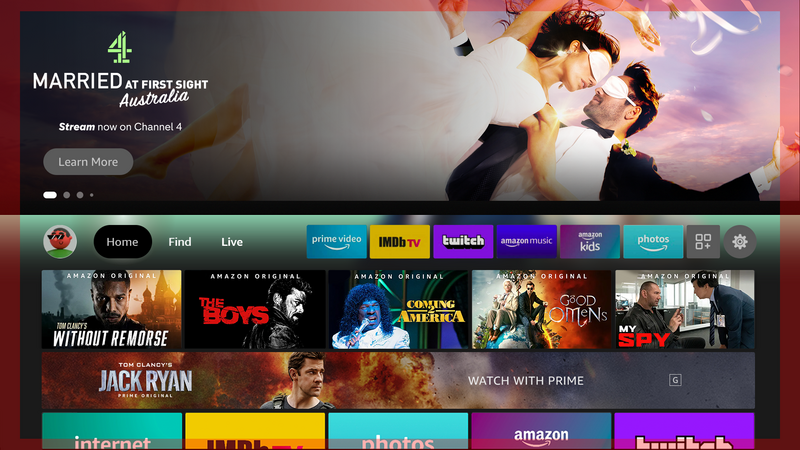
A strong Channel 4 experience comes down to variety. A household can open the service for mainstream entertainment on E4, factual and lifestyle programming on More4, films from Film4, and the core channel for flagship series. That spread matters because it stays relevant across different moods.
The library also benefits from a familiar UK cadence: new episodes land quickly after broadcast, and many shows are organised as box sets, making it binge-friendly without forcing viewers to hunt for “Season 3, Episode 7” in a messy menu.
The Channel 4 interface in real life
This app tends to shine when the TV is being used by more than one person. The homepage usually pushes “continue watching,” recent episodes, and tailored recommendations. That helps reduce the classic evening problem: everyone wants to watch something, nobody wants to scroll forever.
Search is a big deal too. Search works best when the viewer already knows what they want, and it’s also handy when someone only remembers a presenter’s name or a half-remembered show title. The better the search, the less time is wasted.
A simple way to use Channel 4 well:
- Open Channel 4 and immediately hit “Continue Watching” to avoid endless browsing.
- If nothing jumps out, search for a genre (“crime,” “comedy,” “doc”) rather than a title.
- Save a couple of series as “go-to” options for quick weeknight viewing.
Key features that actually matter
The service has plenty of “features” on paper, but only a few change the daily experience:
- Catch-up speed: Channel 4 is built around recent TV. For many people, that’s the whole point.
- Box sets: when a show is available as a box set, it becomes binge-friendly, not just a catch-up tool.
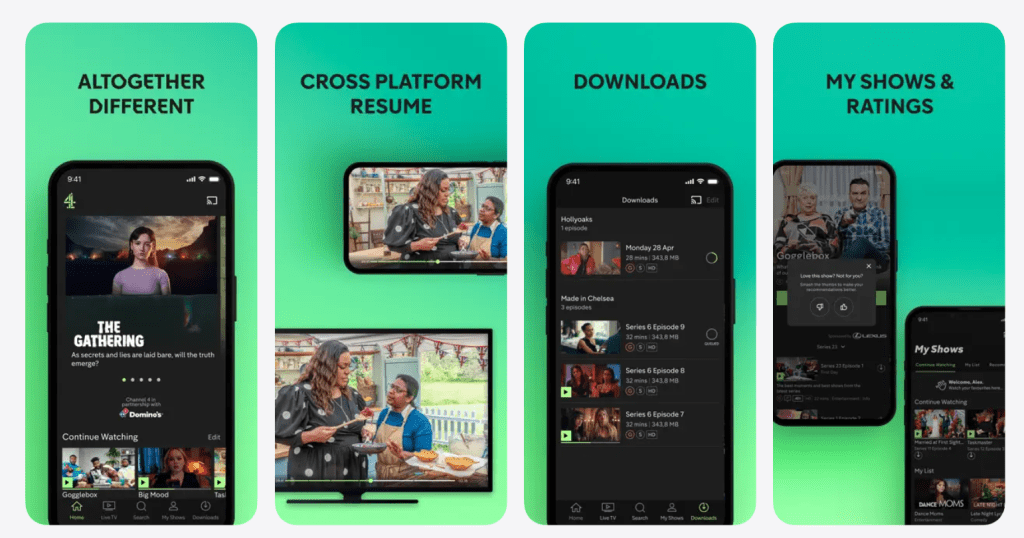
- Continue Watching: a simple row, but it saves time and reduces friction.
- Live and scheduled feel: it still carries the rhythm of TV, which some viewers prefer over endless algorithm feeds.
- Personalisation: recommendations improve when profiles and watch habits are consistent.
The takeaway: Channel 4 does not need to “out-tech” every competitor. It needs to make it easy to press play, and it generally does.
Pricing and plans
For most viewers, Channel 4 is free to use, supported by advertising. That’s the default experience: sign up, pick a show, watch with ad breaks, and move on. Some regions or devices may also offer an optional paid tier that reduces or removes ads and adds convenience features. Pricing and availability can change over time and by market, so it’s best treated as an upgrade rather than the core identity.
A simple way to think about Channel 4 pricing:
- If the household is price-sensitive, it works well as an “extra” alongside one paid subscription.
- If the household watches it daily, the paid add-on can make the experience smoother, especially for long binge sessions.
Hypothetical example: A student shares a flat and rotates between YouTube and Netflix. Adding Channel 4 costs nothing, and suddenly there’s a full stream of new episodes each week. That’s the kind of “high value for zero spend” moment this platform is built for.
Quick setup checklist
Channel 4 is easiest to enjoy when it’s set up like a “grab-and-go” app rather than a deep project. A quick checklist helps the service run smoothly:
- Create a single account and keep the password saved in a secure manager.
- On TV, pin Channel 4 to the first row so it’s one click away.
- Turn on autoplay only if the household likes to binge; otherwise keep it off to avoid accidental episode runs.
- If the app feels slow, reinstall Channel 4, reboot the device, and consider using a dedicated streaming stick for a cleaner experience.
These small tweaks remove friction, which is exactly where Channel 4 wins.
Devices and compatibility
Channel 4 is typically available across major platforms: smart TVs, mobile apps, tablets, web browsers, and popular streaming devices. For most households, the question is less “Can it run?” and more “Does it run well on this TV?”
A quick checklist helps:
- Older smart TVs: it may run, but performance can feel slower if the TV’s operating system is dated.
- Streaming sticks/boxes: it often feels snappier on dedicated streaming hardware than on a built-in TV app.
- Mobile viewing: convenient for commuting or quick episodes, but long sessions still feel best on a TV.
Content strengths
The catalogue stands out because it is unapologetically British. That can be a plus or a minus depending on taste. In general, Channel 4 is strongest in:
- Reality and structured entertainment formats
- UK comedy and panel-style programming
- Grounded drama and limited series
- Factual shows and documentaries
- News and current affairs programming
For viewers who already watch UK broadcast TV, Channel 4 is often the easiest way to catch up without worrying about schedules.
Where it can frustrate people
Most frustrations fall into three buckets:
- Ads: the free tier includes ads, and ad breaks can feel disruptive during tense scenes or short episodes.
- Availability limits: Channel 4 is not equally accessible worldwide, so travel can change what works.
- Licensing churn: some shows rotate in and out, especially films, so a title may not stay available forever.
None of these issues are unique, but they’re worth understanding upfront.
Advantages
This platform works best when the viewer wants an easy, low-commitment way to watch UK TV. Key advantages include:
- A strong free experience for catch-up viewing.
- A natural fit inside a “one paid subscription + free apps” setup.
- A distinctive library that doesn’t feel like a clone of every other service.
- Simple navigation that helps households decide faster.
Disadvantages
The flip side is just as clear:
- Ads can be annoying if the household binges heavily.
- It feels less valuable for viewers who don’t care about UK programming.
- Availability can be restrictive outside supported regions.
- The film offering can change, so it’s not a “set it and forget it” movie library.
Safety, privacy, and account controls
This is a mainstream service, but “safe” can mean different things. The practical checklist is simple:
- Use a strong password for the account.
- Avoid sharing the login widely; it scrambles recommendations.
- If the household includes kids, use available profile or parental tools and keep viewing habits separated.
- Be cautious with saved payment methods if the household uses an optional paid tier.
The goal is not paranoia. It’s keeping the experience predictable: the right recommendations, the right watch history, and fewer accidental purchases.
Who should use Channel 4?
Channel 4 makes the most sense for:
- Viewers who follow UK TV week to week
- Households that want free entertainment without chasing illegal streams
- People who prefer curated broadcast-style content
- Anyone building a balanced setup with one or two paid services plus Channel 4
Channel 4 is less compelling for:
- Viewers who only watch big US franchises
- Households that rarely watch broadcast TV
- People who hate ads and never want an ad-supported service
Alternatives worth considering
Sometimes Channel 4 is the right tool, but it depends on what the viewer actually wants.
- BBC iPlayer: strong for BBC shows and a different editorial feel.
- ITVX: a direct UK competitor with its own library and ad-supported model.
- My5: useful for Channel 5 catch-up and a simple interface.
- Netflix / Prime Video: better for global blockbusters and big-budget originals.
- YouTube: great for free, but not a replacement for structured TV libraries.
A smart approach is to stack services: use Channel 4 for UK catch-up and one paid service for premium originals.
FAQ
- Is Channel 4 free to use?
Channel 4 is typically free with ads, and registration is usually required. - Is Channel 4 the same as All 4?
Yes. Channel 4 is the current brand for the streaming service many viewers previously knew as All 4. - Can it replace Netflix?
Not really. It complements a global subscription service rather than replacing it. - Does the app work outside the UK?
Availability depends on region and licensing, so some viewers will be limited when travelling. - Does it have live TV?
Many devices include live channels alongside on-demand viewing, though availability can vary. - Are there ads?
Yes. The free experience is ad-supported, and ad breaks vary by show. - Is there an ad-free option?
Some markets offer a paid add-on that reduces or removes ads. - Can viewers download shows?
Offline viewing depends on device and plan; not every platform supports downloads. - Is it good for kids?
It includes some family-friendly programming, but it is not a dedicated kids-first platform. - How does Channel 4 compare with ITVX?
Channel 4 leans into its channel brands and commissioning style, while ITVX has a different mix and library strengths. - Is it good for documentaries?
It’s often a strong pick for factual programming and documentary-style series. - What should viewers do if playback is buffering?
Restart the app, check Wi-Fi speed, update the device, and try a streaming stick if the smart TV app is slow. - Can multiple people use one account?
Yes, but too many shared users can make recommendations messy. - What is the fastest way to find something to watch?
Use search for specific titles, or use “continue watching” to stay focused. - Who should skip Channel 4?
People who never watch UK channels and only want blockbuster originals may not find it essential.
Final verdict
Channel 4 is at its best when it is treated as a smart, free companion to paid subscriptions—not a replacement for everything. For UK TV fans, Channel 4 is an easy “yes”: fast for catch-up, strong for box sets, and surprisingly useful for households that want variety without another monthly bill. If the viewer can tolerate ads (or prefers an optional upgrade where available), Channel 4 can become a daily habit rather than a once-a-month download.