Popcornflix is built for a very specific kind of viewer: someone who wants something to watch right now without committing to yet another monthly bill. It sits in that “free, ad-supported streaming” lane, where the trade-off is simple—watch a few ads, get access to a rotating library of movies and TV.
That positioning is both its biggest strength and the reason people sometimes misunderstand it.
If a viewer expects the same experience as premium subscription platforms—massive exclusives, day-one blockbuster releases, and a guaranteed catalog that stays put—this service can feel underwhelming. But if the expectation is “give me something decent to put on tonight for free,” it can be surprisingly useful.
A good way to think about it: it’s less of a replacement for paid subscriptions and more of a “gap filler” that reduces the pressure to always pay for entertainment. It’s the kind of app that earns its place on a smart TV simply because it costs nothing to keep installed.
What Popcornflix Is (And What It Isn’t)
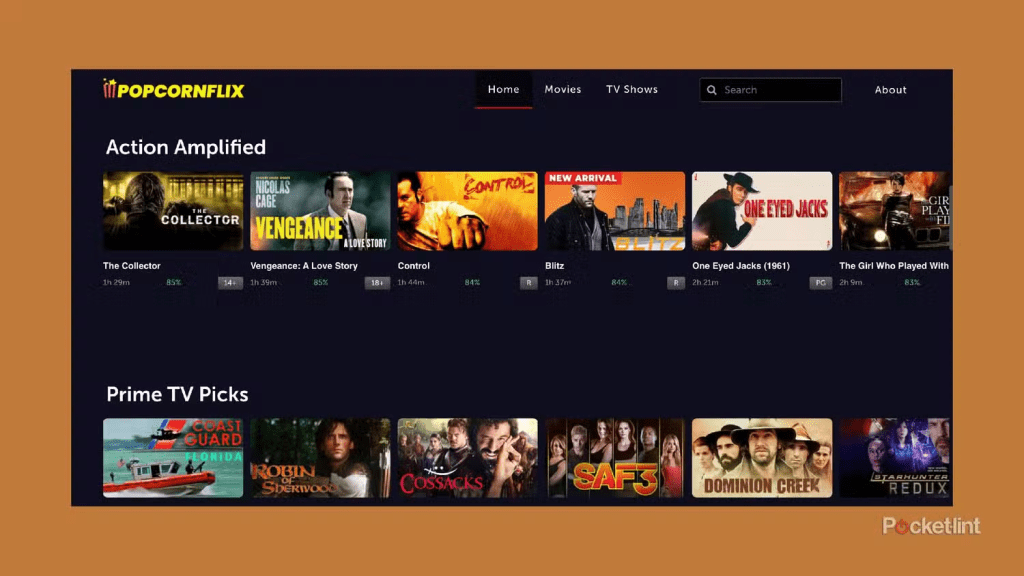
Popcornflix is a free streaming option that typically runs on ads. That means no monthly subscription fee, no contract, and usually no complicated setup. Viewers press play, accept the ad model, and start watching.
What it is:
- A free, ad-supported movie and TV streaming service
- A “browse and play” platform for casual viewing
- A helpful backup when paid services don’t have what someone wants
What it isn’t:
- A premium subscription competitor with big-budget originals
- A “watch anything anytime” library that never changes
- A reliable home for a specific title forever
This matters because expectations decide whether a viewer feels impressed or disappointed.
Key Features That Actually Matter
Most streaming platforms brag about a hundred features. In real households, only a few things actually move the needle.
1) Fast, no-pressure viewing
Free services shine when they remove friction. The ideal experience is: open the app, find something in a minute or two, and play. When that’s working, it’s the simplest kind of entertainment—no overthinking, no “is this worth another subscription?”
2) Genre browsing that fits “mood watching”
Many people don’t search for a specific title. They search for a feeling: action, thriller, comedy, something light, something noisy in the background while working. Popcornflix is often best used this way—more “channel surfing” than “film festival.”
3) Simple discovery
A clean home screen, decent categories, and predictable “continue watching” behavior matter more than fancy personalization. Viewers want the service to stay out of their way.
4) Lightweight commitment
Free apps work because viewers can leave them installed forever. They don’t need to “get value” every month. That changes how people behave: they try more random movies, they take more chances, and they feel less annoyed if a title isn’t amazing.
Content Library and Catalog Expectations
Here’s the honest truth: anyone choosing Popcornflix should expect a mix.
There can be some recognizable titles, some older favorites, and some “never heard of this, but the poster looks interesting” picks. The library tends to lean toward:
- Older movies
- Indie or smaller studio releases
- Lesser-known series and niche genres
- Rotating availability (titles come and go)
That’s not a flaw. It’s just how free streaming economics work.
The best way to win with free services is to approach them with a “discovery mindset.” Instead of chasing one specific movie, viewers do better when they browse until something grabs them. That’s where the value is.
Pricing
Popcornflix is typically free to use, which is the headline feature—and the entire point.
But “free” isn’t the same as “no cost.” The cost is:
- Ad breaks (pre-roll and mid-roll style interruptions)
- Less predictable catalog stability than paid services
- Sometimes a more basic interface than premium apps
For many viewers, that’s a completely fair trade.
A good household strategy is to treat ad-supported apps as the default background options (weeknight casual viewing, second-screen watching, quick entertainment) and keep paid subscriptions for the “must-watch” shows and premium releases.
Who Uses It (And Who Actually Enjoys It)
Popcornflix tends to make the most sense for:
Casual viewers
People who aren’t chasing the newest releases. They just want something entertaining.
Budget-focused households
Anyone cutting subscriptions or trying to reduce monthly spend.
“Bored at night” viewers
If decision fatigue hits and nobody wants to debate what to watch, free services can become the quick compromise.
Background TV people
Those who like having something on while cooking, working, or relaxing—without burning through paid catalogs.
It tends to feel less satisfying for:
Viewers who only watch specific franchises
If someone follows one studio’s universe or only watches a narrow set of titles, a rotating free library can feel random.
People who hate ads
Some viewers simply can’t stand interruptions. For them, free streaming becomes a short trial and then a delete.
Sports-first households
If sports is the priority, most free movie-focused services won’t deliver that experience.
Advantages
1) It’s free, which changes how people watch
Free removes pressure. Viewers take risks on movies they wouldn’t pay for. That often leads to surprise wins.
2) Great “backup service” energy
When the paid services feel stale or too expensive, Popcornflix can keep entertainment flowing.
3) Low friction
A free app that starts quickly and plays reliably becomes a “default install” on many devices.
4) Useful for sampling genres
Someone curious about thrillers, older action, or oddball comedies can explore without feeling like they wasted money.
Disadvantages
1) Ads will annoy some viewers
This is the make-or-break point. If ads cause frustration, the whole service loses its appeal.
2) The catalog won’t feel premium
People expecting brand-new hits, constant exclusives, or prestige originals will be disappointed.
3) Titles rotate
Free libraries move. A movie that’s there today might not be there later. Anyone who wants permanent access should rely on rental, purchase, or owned media instead.
4) Discovery can be hit or miss
Even when the interface is decent, the content is the content. Some nights the browsing feels effortless. Other nights it feels like nothing is clicking.
Safety, Legality, and “Avoiding the Fake Stuff”
A big benefit of legitimate free streaming is peace of mind. Viewers don’t need sketchy websites or suspicious downloads.
To keep things clean:
- Use official app stores on the device (TV app store, mobile app store, reputable platform stores)
- Be careful with “Popcornflix” lookalike websites and unofficial APK pages
- Don’t enter payment info unless the platform clearly prompts for an optional purchase and the viewer understands what it is
- Use device-level parental controls for kids, not just “hope they won’t click it”
For households with children, the best move is to treat streaming like any other digital product:
- Separate profiles where possible
- Kid-appropriate viewing rules
- A quick check of settings and recommendations every so often
Best Alternatives
Free streaming is not a one-app game. Most viewers do better with a small “free stack” and rotate depending on mood.
Strong alternatives often include:
- Tubi (big free library reputation, lots of browsing)
- Pluto TV (more of a “live channel” vibe plus on-demand)
- Plex (useful if someone also manages personal media)
- The Roku Channel (especially for Roku households)
- Amazon Freevee (where available)
- Other regional free services depending on country and device ecosystem
The smartest comparison is not “Which one is best overall?” It’s “Which one has something worth watching tonight?”
FAQs
- Is Popcornflix really free?
Yes, it’s positioned as a free streaming option. The usual trade-off is that ads help fund the content instead of a monthly subscription fee. - Does Popcornflix require an account?
Many free services let viewers start watching with minimal setup. If an account option exists, it’s usually for convenience features like watchlists or syncing across devices. - Why does Popcornflix show ads?
Ads are the business model. They pay for licensing and platform costs so viewers don’t pay a subscription fee. - Can viewers watch on a smart TV?
Often yes, depending on which TV platform and app store is being used. If the app isn’t available on one device, it may still be available through a streaming stick or another supported platform. - Does the catalog change often?
Free libraries usually rotate. Titles can come and go based on licensing windows and content deals. - Is Popcornflix good for families?
It can be, but families should set up basic parental controls and keep kids on kid-appropriate profiles or devices where possible. - Is it safe to use?
Using the official website or official app stores is generally the safest approach. The main risk comes from fake clone sites and unofficial downloads that try to mimic legitimate services. - Does Popcornflix have the newest movies?
It’s not typically built around brand-new releases. Viewers looking for the latest blockbusters usually rely on premium subscriptions, rentals, or purchases. - What’s the best way to find something good quickly?
Browse by genre and mood first, not by searching for one specific title. Free services work best when viewers stay flexible. - Can viewers remove ads?
Some free services offer ad-reduction upgrades, while others don’t. If the platform offers an upgrade, it should be clearly explained inside the official app or website. - Is Popcornflix better than Tubi or Pluto TV?
It depends on the viewer. Some people prefer on-demand browsing, others like “live channel” style streaming, and others care most about library size. - What should viewers do if the app isn’t working on a device?
Try basic fixes first: update the app, restart the device, clear cache where possible, and confirm region availability. If it still fails, switching to an alternative free service is often faster than troubleshooting for hours. - Is it worth keeping Popcornflix installed if it’s not used often?
Yes, because it costs nothing to keep as a backup. It’s the kind of app that becomes useful unexpectedly. - Who should skip Popcornflix entirely?
People who hate ads, only watch brand-new releases, or want guaranteed access to specific titles will usually be happier with paid subscriptions or rentals. - What’s the smartest way to use free streaming services?
Treat them as a rotation stack: keep a few installed, switch based on mood, and avoid getting emotionally attached to any one title staying forever.
Final Verdict
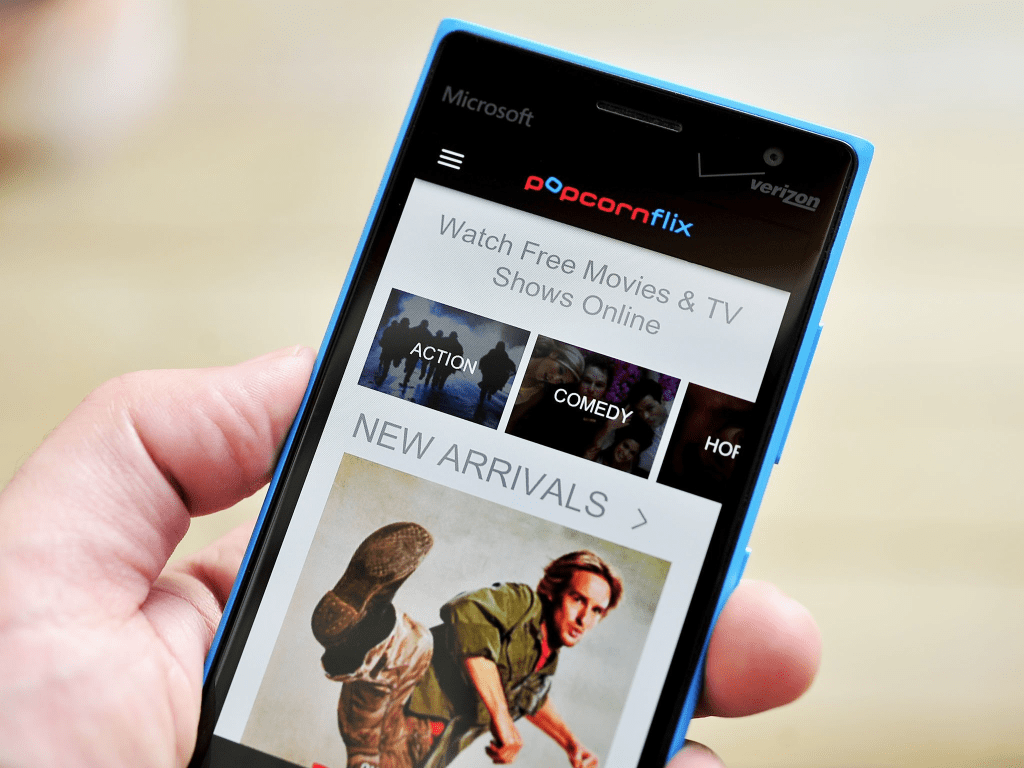
Popcornflix makes sense as a free, low-pressure streaming option for casual nights, background viewing, and anyone trying to stretch entertainment without adding another subscription. It won’t replace premium services for people who want the newest releases or ad-free bingeing, but it can absolutely earn a permanent spot as a “backup library” that sometimes surprises viewers with a solid find when they least expect it.