Popcornflix is built for a very specific kind of viewer: someone who wants something to watch right now without committing to yet another monthly bill. It sits in the free, ad-supported streaming lane, where the tradeoff is simple: watch a few ads, get access to a rotating library of movies and TV.
That positioning is both its biggest strength and the reason people sometimes misunderstand it.
If a viewer expects the same experience as premium subscription platforms, with massive exclusives, day-one blockbuster releases, and a guaranteed catalog that stays put, Popcornflix can feel underwhelming. But if the expectation is “give me something decent to put on tonight for free,” it can be surprisingly useful.
A good way to think about it: Popcornflix is not a replacement for paid subscriptions. It is a gap filler, backup app, and casual viewing tool that reduces the pressure to always pay for entertainment. It earns its place on a smart TV because it costs nothing to keep installed, especially for viewers comparing different movie streaming sites without wanting another monthly charge.
What Popcornflix Is (And What It Isn’t)
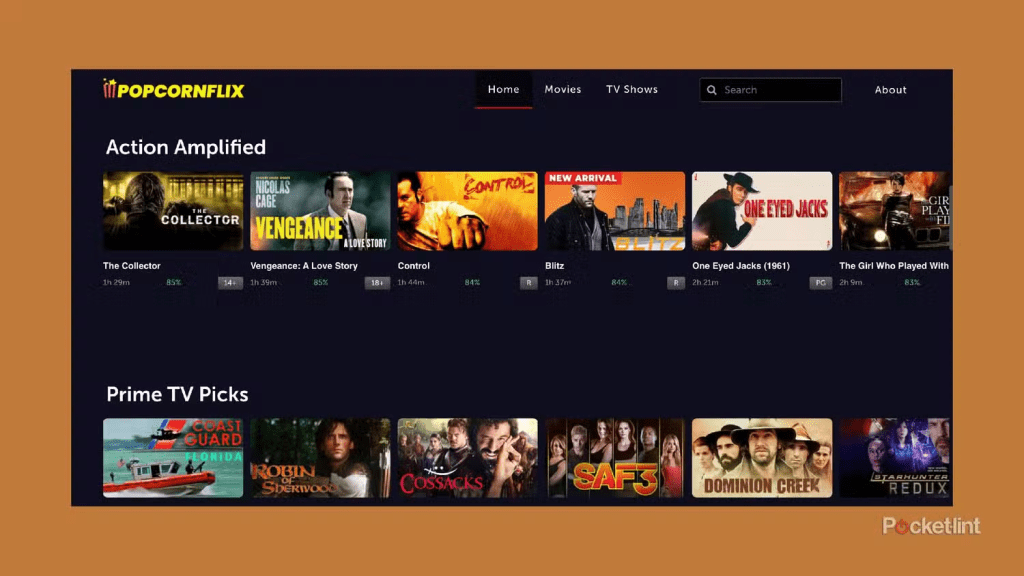
Popcornflix is a free streaming option that typically runs on ads. That means no monthly subscription fee, no contract, and usually no complicated setup. Viewers press play, accept the ad model, and start watching.
What it is:
- A free, ad-supported movie and TV streaming service.
- A browse-and-play platform for casual viewing.
- A helpful backup when paid services feel stale.
- A useful app for viewers who like discovering older, smaller, or overlooked titles.
- A low-risk option for second TVs, guest rooms, dorm rooms, and casual nights.
What it isn’t:
- A premium subscription competitor with big-budget originals.
- A watch-anything-anytime library that never changes.
- A reliable home for a specific title forever.
- A replacement for rental stores when someone needs one exact new release.
- A perfect fit for viewers who hate ads completely.
This matters because expectations decide whether a viewer feels impressed or disappointed.
What Popcornflix Is Best For
Popcornflix works best when the household wants low-pressure entertainment.
It’s usually a strong fit for:
- Casual viewers who want something watchable without paying.
- Budget-focused households trying to reduce subscription creep.
- Viewers who enjoy older movies, indie picks, and oddball discoveries.
- People who want a backup app when paid services feel boring.
- Background TV viewers who like having something on while cooking, working, or relaxing.
- Genre browsers who enjoy dipping into cult classic movies, older thrillers, action picks, and comfort titles.
It tends to feel less satisfying for:
- Viewers who only chase brand-new releases.
- People who hate ads during movies.
- Households that follow one specific franchise or studio universe.
- Sports-first viewers who need live games and sports coverage.
- Anyone who expects one free app to behave like a premium subscription library.
A simple way to judge Popcornflix: if the household is open to browsing and does not need the newest title every night, it can be useful. If the household wants exact-title control, a rental store or paid platform will usually fit better.
Key Features That Actually Matter
Most streaming platforms brag about a hundred features. In real households, only a few things actually move the needle.
Fast, No-Pressure Viewing
Free services shine when they remove friction. The ideal experience is simple:
- Open the app.
- Find something in a minute or two.
- Accept the ads.
- Press play.
When that works, Popcornflix becomes the simplest kind of entertainment. There is no monthly value calculation. There is no “are we using this enough?” guilt. The app can sit there until a casual night needs it.
Genre Browsing for Mood Watching
Many people don’t search for a specific title. They search for a feeling: action, thriller, comedy, horror, something light, something noisy in the background, or something weird enough to try for free.
Popcornflix is often best used this way. It is more mood browsing than premium catalog planning.
This is where deeper ForeverWatch anchors fit naturally. A viewer might not open Popcornflix looking for one famous film. They might open it because they are in the mood for horror movies, old-school action, feel good movies, or a random thriller that does not require much commitment.
Simple Discovery
A clean home screen, decent categories, and predictable Continue Watching behavior matter more than fancy personalization. Viewers want the service to stay out of their way.
The best discovery method is practical:
- Pick a genre.
- Give yourself a short browsing limit.
- Save a few options.
- Choose one quickly.
- Do not treat every free movie night like a perfect cinema decision.
That approach makes the platform feel useful instead of random.
Lightweight Commitment
Free apps work because viewers can leave them installed forever. They do not need to get value every month.
That changes how people behave:
- They try more random movies.
- They take more chances.
- They feel less annoyed if a title is only okay.
- They use the app as backup instead of judging it like a core subscription.
That low-pressure role is the whole point.
Content Library and Catalog Expectations
Here’s the honest truth: anyone choosing Popcornflix should expect a mix.
There can be recognizable titles, older favorites, low-budget discoveries, indie releases, and “never heard of this, but the poster looks interesting” picks. The library tends to lean toward:
- Older movies.
- Indie or smaller studio releases.
- Lesser-known series and niche genres.
- Free ad-supported picks.
- Rotating availability.
That is not a flaw. It is how free streaming economics work.
Older Movies and Familiar Browsing
Popcornflix can work well when viewers are not obsessed with the newest release. Free catalogs often make more sense for older titles, recognizable faces, and “I remember this” browsing.
This is where the app can be useful for people exploring 90s movies, 2000s movies, older action picks, and lower-pressure movie nights that do not need to feel premium.
Hidden Gems and Weird Finds
The most fun part of free streaming is stumbling into something unexpected.
Popcornflix can be useful for viewers who enjoy:
- Forgotten thrillers.
- Low-budget action.
- Indie dramas.
- Offbeat comedies.
- Strange horror titles.
- Older niche films.
- black and white movies when the catalog supports that kind of browsing.
This is not the same as a curated cinema platform. It is more like digging through a free shelf and finding something better than expected.
Seasonal and Casual Viewing
Free platforms can also work well during seasonal browsing. A household may not want to pay for another subscription just to watch a few themed movies.
That makes Popcornflix useful for casual shelves like Halloween movies, holiday viewing, background comedy, or light weekend picks. The point is not that Popcornflix owns every seasonal category. The point is that free apps can help fill those viewing moods without adding cost.
The Free Streaming Reality
Free libraries rotate. Titles come and go. That is normal.
The best mindset is:
- Use Popcornflix for discovery and casual variety.
- Treat specific titles as a bonus, not a guarantee.
- Use a rental or where-to-watch tool when one exact movie matters.
- Don’t expect a free app to behave like a permanent archive.
If someone has one specific title in mind, Popcornflix may not be the best first stop. That viewer may need to check where to watch movies instead of relying on a rotating free catalog.
Pricing
Popcornflix is typically free to use, which is the headline feature and the entire point.
But free does not mean no cost. The cost is:
- Ad breaks.
- Less predictable catalog stability.
- A more basic experience than premium apps.
- Less control over exact-title availability.
For many viewers, that is a completely fair trade.
A good household strategy is simple:
- Use free apps for casual nights.
- Keep paid subscriptions for must-watch shows.
- Use rentals only when a specific movie really matters.
- Let Popcornflix fill the boring gaps.
That way, the app does not need to be amazing every night. It just needs to be useful often enough.
A Practical Way to Use Popcornflix
The best way to use Popcornflix is not to open it with premium expectations. Use it like a casual discovery shelf.
Try this:
- Use it for low-pressure nights
Do not test it first during a serious movie night. Try it when the household just wants something on. - Browse by mood, not title
Look for action, comedy, horror, family, thriller, or comfort categories. - Keep expectations flexible
The best free-streaming wins often come from unexpected finds. - Use it as a backup app
When paid services feel stale, Popcornflix can keep entertainment moving. - Leave it installed if it fills a gap
A free app does not need to be used every day to be worth keeping.
Who Uses It and Who Actually Enjoys It
Popcornflix tends to make the most sense for:
Casual Viewers
These viewers are not chasing the newest releases. They just want something entertaining enough to start.
Budget-Focused Households
Anyone cutting subscriptions or trying to reduce monthly spend can use free apps to make the streaming lineup feel less empty.
Bored-at-Night Viewers
If decision fatigue hits and nobody wants to debate what to watch, free services can become the quick compromise.
Background TV People
These are viewers who like having something on while cooking, working, cleaning, or winding down without burning through paid catalogs.
Genre Samplers
Popcornflix can also suit viewers who want to sample different categories without paying. Someone curious about old action, oddball horror, indie drama, or kids movies for casual family viewing can explore without feeling like money was wasted.
Advantages
Here’s where Popcornflix usually works well:
- It Is Free, Which Changes How People Watch
Free removes pressure. Viewers take risks on movies they would not pay for, and that can lead to surprise wins. - Great Backup Service Energy
When paid services feel stale or too expensive, Popcornflix can keep entertainment flowing. - Low Friction
A free app that starts quickly and plays reliably becomes a default install on many devices. - Useful for Sampling Genres
Someone curious about thrillers, older action, horror, comedy, or niche movies can explore without feeling like they wasted money. - Good for Casual Setups
Guest rooms, second TVs, dorm rooms, and older smart TVs can all benefit from one more free option.
Disadvantages
Popcornflix has real limits, and they mostly come from the free model.
- Ads Will Annoy Some Viewers
This is the make-or-break point. If ads cause frustration, the whole service loses its appeal. - The Catalog Won’t Feel Premium
People expecting brand-new hits, constant exclusives, or prestige originals will be disappointed. - Titles Rotate
Free libraries move. A movie that is there today might not be there later. Anyone who wants permanent access should rely on rental, purchase, or owned media instead. - Discovery Can Be Hit or Miss
Some nights the browsing feels effortless. Other nights, nothing clicks. - It Is Not a Complete Streaming Solution
Popcornflix works best as part of a lineup, not as the only app in the house.
Safety, Legality, and Avoiding the Fake Stuff
A big benefit of legitimate free streaming is peace of mind. Viewers do not need sketchy websites or suspicious downloads.
To keep things clean:
- Use official app stores on the device.
- Be careful with Popcornflix lookalike websites and unofficial APK pages.
- Don’t enter payment info unless the platform clearly prompts for an optional purchase and the viewer understands what it is.
- Use device-level parental controls for kids.
- Keep the device updated.
- Avoid any “free movie” site that feels like a clone or piracy trap.
For households with children, the best move is to treat streaming like any other digital product:
- Separate profiles where possible.
- Use kid-appropriate viewing rules.
- Check settings and recommendations every so often.
- Do not assume a free app is automatically child-safe just because it is free.
Best Popcornflix Alternatives and Real Competitors
This is where the comparison needs to be tighter. Popcornflix should not mainly be compared to Netflix or Disney Plus. Those are premium subscription services with different jobs.
Popcornflix’s real comparison set is mostly free, ad-supported, low-commitment, or backup-style platforms.
Popcornflix vs Tubi
Tubi is probably one of the closest comparisons because both services sit in the free, ad-supported movie-and-TV lane. Tubi often feels stronger as a broad free on-demand library, while Popcornflix is better judged as a lighter backup option for casual browsing.
A household can use both without conflict. Tubi can be the bigger free library, while Popcornflix can be the extra shelf for nights when the usual picks feel stale.
Popcornflix vs Pluto TV
Pluto TV is a better fit for viewers who want channel surfing and live-style browsing. Popcornflix is more about opening a free library and picking something on demand.
So the split is simple: Pluto TV fits the “just put a channel on” mood, while Popcornflix fits the “let me choose a free movie” mood.
Popcornflix vs Freevee
Freevee is another free ad-supported option, but it can feel more structured depending on region and device. Viewers who want a more polished free-library feel may compare Freevee with Popcornflix.
Popcornflix still makes sense as a low-pressure extra app, especially when the viewer is not trying to find the newest or most polished free catalog.
Popcornflix vs Crackle
Crackle is a stronger direct comparison than Netflix because it also lives closer to the free, ad-supported streaming world. Both services are best judged by browsing value, ads, device support, and whether the current catalog has something worth watching.
The winner can change by week because free libraries rotate.
Popcornflix vs Plex
Plex is a different kind of competitor. It is not only a free streaming app. It can also organize personal media libraries. That makes Plex stronger for viewers who have their own movie files or want a home media hub.
Popcornflix is simpler. It is better for viewers who want to open an app and watch free content without thinking about servers, files, or setup.
Popcornflix vs Kanopy
Kanopy is not the same kind of free platform because access usually depends on a library or institution. But for viewers who want free, legal movies with a more curated or thoughtful feel, Kanopy can be a better fit.
Popcornflix is more casual. Kanopy is more intentional.
Popcornflix vs Rakuten TV
Rakuten TV makes more sense for viewers who want free streaming plus rentals or purchases in one place. Popcornflix is better for viewers who want a simple free-only style experience without thinking about paid movie-night decisions.
If the household often wants a specific new movie, Rakuten TV may fit better. If the household just wants free casual browsing, Popcornflix is simpler.
Alternatives to Popcornflix
The best alternative depends on what the viewer actually wants.
If the goal is free on-demand movies, compare:
- Tubi.
- Freevee.
- Crackle.
- Popcornflix.
- Kanopy, if library access is available.
If the goal is free live-channel browsing, compare:
- Pluto TV.
- Plex free channels.
- The Roku Channel, if the household uses Roku.
- Other regional free live-channel apps.
If the goal is free streaming plus rental flexibility, compare:
- Rakuten TV.
- Google TV rental options.
- YouTube Movies.
- Vudu.
- Prime Video rentals.
If the goal is organizing personal media, compare:
- Plex.
- Jellyfin.
- Emby.
- Local media players.
The smartest comparison is not “Which app is best overall?” It is “Which free app solves this exact viewing problem?”
Popcornflix works best when the household wants a simple, free, ad-supported backup for casual movie nights. It should not be judged like Netflix. It should be judged against other free and low-commitment platforms that help viewers watch something without adding another bill.ich one is best overall?” It’s “Which one has something worth watching tonight?”
FAQs
- Is Popcornflix really free?
Yes, it’s positioned as a free streaming option. The usual trade-off is that ads help fund the content instead of a monthly subscription fee. - Does Popcornflix require an account?
Many free services let viewers start watching with minimal setup. If an account option exists, it’s usually for convenience features like watchlists or syncing across devices. - Why does Popcornflix show ads?
Ads are the business model. They pay for licensing and platform costs so viewers don’t pay a subscription fee. - Can viewers watch on a smart TV?
Often yes, depending on which TV platform and app store is being used. If the app isn’t available on one device, it may still be available through a streaming stick or another supported platform. - Does the catalog change often?
Free libraries usually rotate. Titles can come and go based on licensing windows and content deals. - Is Popcornflix good for families?
It can be, but families should set up basic parental controls and keep kids on kid-appropriate profiles or devices where possible. - Is it safe to use?
Using the official website or official app stores is generally the safest approach. The main risk comes from fake clone sites and unofficial downloads that try to mimic legitimate services. - Does Popcornflix have the newest movies?
It’s not typically built around brand-new releases. Viewers looking for the latest blockbusters usually rely on premium subscriptions, rentals, or purchases. - What’s the best way to find something good quickly?
Browse by genre and mood first, not by searching for one specific title. Free services work best when viewers stay flexible. - Can viewers remove ads?
Some free services offer ad-reduction upgrades, while others don’t. If the platform offers an upgrade, it should be clearly explained inside the official app or website. - Is Popcornflix better than Tubi or Pluto TV?
It depends on the viewer. Some people prefer on-demand browsing, others like “live channel” style streaming, and others care most about library size. - What should viewers do if the app isn’t working on a device?
Try basic fixes first: update the app, restart the device, clear cache where possible, and confirm region availability. If it still fails, switching to an alternative free service is often faster than troubleshooting for hours. - Is it worth keeping Popcornflix installed if it’s not used often?
Yes, because it costs nothing to keep as a backup. It’s the kind of app that becomes useful unexpectedly. - Who should skip Popcornflix entirely?
People who hate ads, only watch brand-new releases, or want guaranteed access to specific titles will usually be happier with paid subscriptions or rentals. - What’s the smartest way to use free streaming services?
Treat them as a rotation stack: keep a few installed, switch based on mood, and avoid getting emotionally attached to any one title staying forever.
Final Verdict
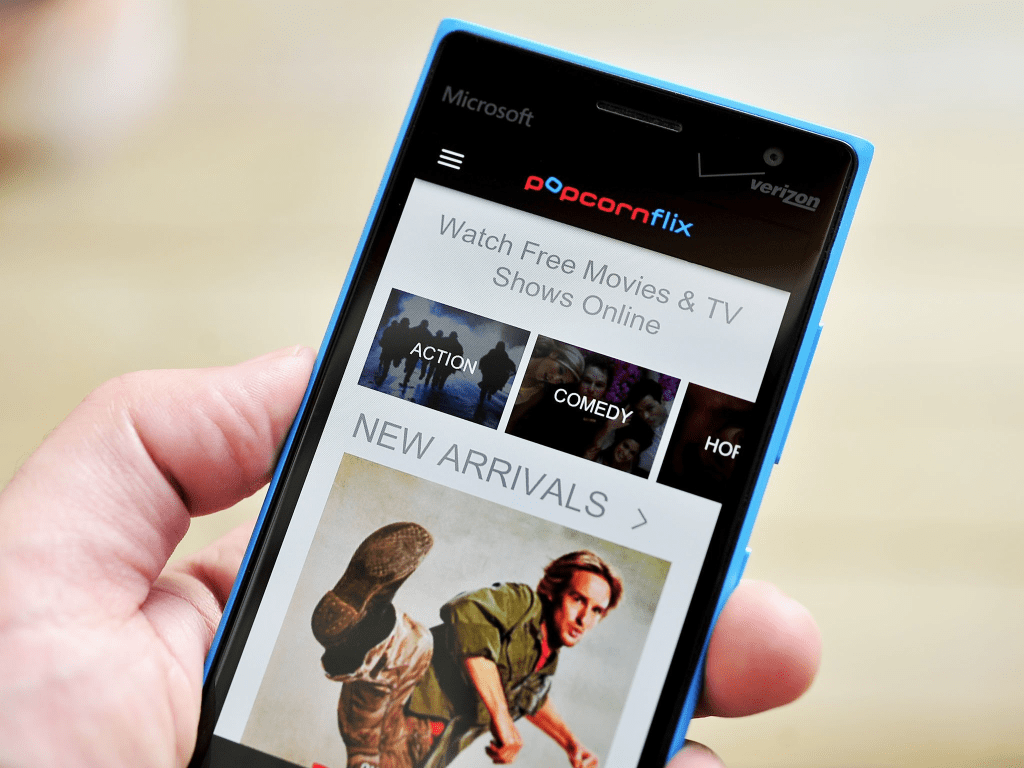
Popcornflix makes sense as a free, low-pressure streaming option for casual nights, background viewing, and anyone trying to stretch entertainment without adding another subscription. It won’t replace premium services for people who want the newest releases or ad-free bingeing, but it can absolutely earn a permanent spot as a “backup library” that sometimes surprises viewers with a solid find when they least expect it.